Best Monitor for Xbox Series X 2026: 4K 120Hz Gaming Guide
Top tested monitors with HDMI 2.1, low input lag, and full Xbox Series X feature support
Recommended Products
Based on our research, here are some top picks:
LG 32G620B-B Ultragear Gaming Monitor -

under $500 on Amazon
ASUS ROG Swift OLED 27" Gaming Monitor -

under $750 on Amazon
Samsung Odyssey G55C Gaming Monitor -

under $500 on Amazon
Dell UltraSharp U2723QE 4K Monitor -

under $750 on Amazon
As an Amazon Associate, we earn from qualifying purchases.
Table of Contents
The Xbox Series X is the most powerful Xbox ever, capable of 4K gaming at up to 120 frames per second. But to unlock its full potential, you need the right monitor with HDMI 2.1 support.
Quick Answer: The LG 27G850A-B is our top pick for Xbox Series X: true 4K 120Hz via HDMI 2.1, excellent HDR, and only 4.2ms input lag. For budget buyers, the Gigabyte M27UP offers the same 4K HDMI 2.1 features for far less.
Xbox Series X Monitor Requirements
Xbox Series X has similar requirements to PS5, but with some key differences:
| Feature | Requirement | Xbox Series X Support |
|---|---|---|
| 4K 120Hz | HDMI 2.1 | Full support |
| 1440p 120Hz | HDMI 2.0+ | Native support |
| VRR (FreeSync) | HDMI 2.1 VRR or FreeSync | Full support |
| HDR | HDR10, Dolby Vision | Both supported |
| ALLM | HDMI 2.1 | Auto game mode |
Xbox Series X vs PS5 Monitor Compatibility
Xbox Series X has better 1440p support than PS5, making mid-range 1440p 144Hz monitors a great option. Xbox also supports AMD FreeSync, giving you more VRR-compatible monitor options.
Best Monitors for Xbox Series X (2026)
LG 27G850A-B
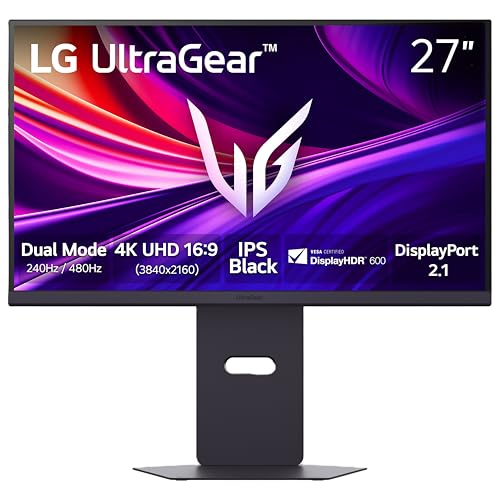
under $1,000 on Amazon
The gold standard for Xbox Series X gaming. HDMI 2.1, 4K 120Hz, excellent HDR with local dimming zones. Nano IPS panel with great colors.
Gigabyte M27UP

under $500 on Amazon
Best value 4K 120Hz HDMI 2.1 monitor. HDMI 2.1, built-in Type-C KVM switch. Great for Xbox + PC setups.
ASUS ROG Swift PG32UQ
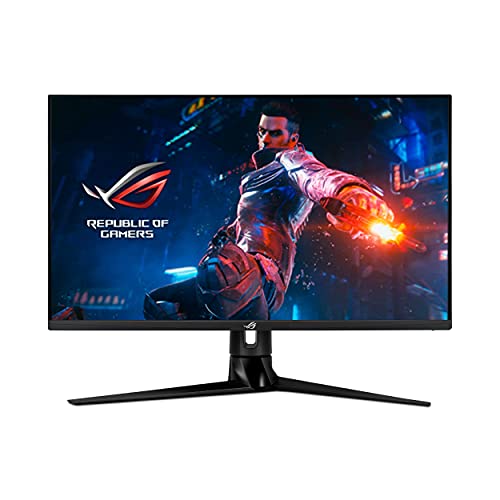
under $750 on Amazon
Premium 32" option with two HDMI 2.1 ports. Local dimming zones for better HDR. Great for immersive gaming.
Budget Options Under $400
These monitors work great with Xbox Series X at 1080p or 1440p 120Hz:
Dell S2725DSM
27" | 1440p | 144Hz | IPS
Under $250
Sharp QHD IPS panel with great value. 1440p 120Hz works perfectly with Xbox Series X over HDMI 2.0.
ASUS VG27AQ1A
27" | 1440p | 170Hz | IPS
Under $250
Excellent IPS colors with low input lag. Great for competitive Xbox gaming at 1440p 120Hz.
AOC CU34G2X
34" | 3440x1440 | 144Hz | VA
Under $500
Ultrawide with great immersion. Xbox outputs 16:9 with black bars but still looks great.
BenQ MOBIUZ EX271U
27" | 1440p | 180Hz | IPS
Under $500
Built-in speakers, USB-C and KVM, HDRi technology. Excellent all-around gaming monitor for Xbox.
Best 1440p Monitors for Xbox Series X
Xbox Series X has excellent native 1440p support, making 1440p 144Hz monitors a sweet spot for price/performance:
Why Choose 1440p for Xbox?
- - Native 1440p@120Hz support (no HDMI 2.1 required)
- - Much cheaper than 4K HDMI 2.1 monitors
- - Sharper than 1080p, smoother than 4K@60Hz
- - Perfect balance of resolution and frame rate
| Monitor | Panel | Features | Budget |
|---|---|---|---|
| Dell S2725DSM | 27" QHD IPS | 144Hz, FreeSync, 1ms | Under $250 |
| LG 27GR83Q-B | 27" QHD IPS | 240Hz, G-Sync, HDR400 | Under $500 |
| Samsung Odyssey G5 | 27" VA Curved | 144Hz, HDR10, 1ms | Under $250 |
How to Set Up Xbox Series X for 120Hz
Connect with Ultra High Speed HDMI
Use the cable included with Xbox Series X or a certified Ultra High Speed HDMI cable for 4K 120Hz.
Go to Settings > General > TV & Display Options
Set Resolution to 4K UHD or 1440p, and Refresh Rate to 120Hz.
Enable VRR and ALLM
In Video Modes, enable Variable Refresh Rate and Auto Low Latency Mode for the best experience.
Enable 120Hz in Games
Many games require enabling 120fps mode in their settings. Check Display or Graphics options in each game.
Frequently Asked Questions
What is the best monitor for Xbox Series X?
The LG 27G850A-B is the best overall monitor for Xbox Series X, offering HDMI 2.1, 4K@120Hz, excellent HDR, and 4.2ms input lag. For budget buyers, the Gigabyte M27UP under $500 offers great value with full Xbox Series X feature support.
Does Xbox Series X need HDMI 2.1?
Yes, HDMI 2.1 is required for 4K@120Hz gaming on Xbox Series X. It also enables VRR (Variable Refresh Rate) and ALLM (Auto Low Latency Mode). Without HDMI 2.1, you're limited to 4K@60Hz or 1080p/1440p@120Hz.
Can Xbox Series X do 1440p 120Hz?
Yes, Xbox Series X natively supports 1440p@120Hz, and this works over HDMI 2.0. This makes 1440p 144Hz monitors a great budget option for high frame rate gaming without needing expensive HDMI 2.1 displays.
What size monitor is best for Xbox Series X?
For desk gaming, 27-32 inches is ideal. 27 inches offers sharp 4K pixel density, while 32 inches provides more immersion. For couch gaming at distance, consider a 40+ inch TV or large monitor.
Related Guides & Tools
Not Sure Which Monitor Is Right for You?
Take our quick quiz and get a personalized recommendation in under 2 minutes.