Autonomous Desk Pro Review 2026: A Decade with the Brand
Updated 2026 | By Glen Gomez Meade, Founder of TestBeforeYouBuy / Cozy River Studios
Quick Verdict
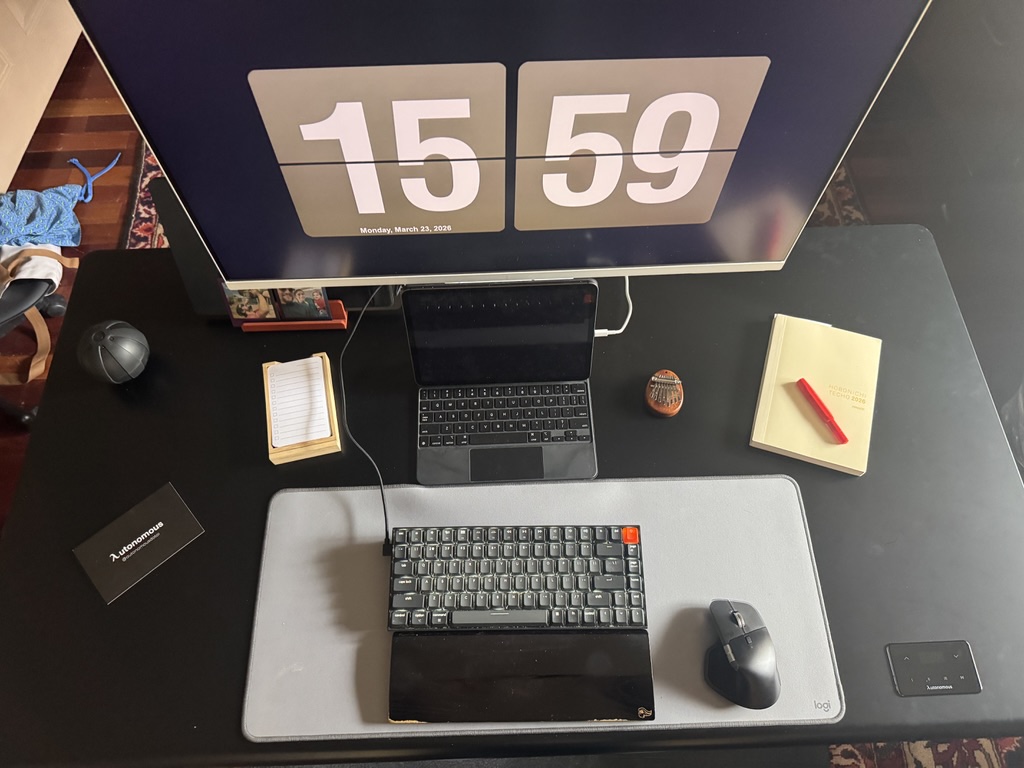
The Autonomous Desk Pro (also known as the SmartDesk Pro or Desk 5 Pro) is a beautifully built, cable-management-first standing desk that punches well above its price class. The included power strip with USB-C is alone worth the upgrade from a basic desk.
In This Review
What to test, and what to replace it with
These tools exist to tell you whether a screen is worth keeping. If it is not, these are the panels worth running the same tests on instead.
 LG C4 65 in OLED evo
The panel most of these test patterns are written against. OLED is where the dead-pixel and uniformity tests actually matter.
Check price on Amazon → Samsung S90F 65 in OLED
The main alternative to the C4 at the same size, and the one worth running the same tests on before you keep it.
Check price on Amazon →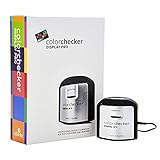 Calibrite Display Pro Colorimeter
Test patterns tell you something is wrong. A colorimeter tells you by how much, and fixes it.
Check price on Amazon → Dell UltraSharp U2722D
The safe QHD desk monitor when a test turns up a panel you do not want to keep.
Check price on Amazon →As an Amazon Associate we earn from qualifying purchases, at no extra cost to you. Prices change, so check before buying.
A Decade with Autonomous
I bought my first Autonomous standing desk somewhere around 2015. Back then, electric height-adjustable desks were genuinely a new category — the kind of thing you saw in an open-plan tech office in San Francisco and nowhere else. If you wanted one for a home office, you were either spending four figures on a German import or crossing your fingers on a crank-handle model from a brand you had never heard of.
Autonomous was one of the very few companies making something reasonably priced. I took a chance on it, and what I got was a complete beast of a desk. The thing was genuinely heavy, genuinely sturdy, and looked far more premium than its price suggested. I loved it immediately.
Over the next several years, I moved from Denver to New York and eventually back to Colorado. That desk came with me every time. I loaded it into moving trucks, rebuilt it in tiny Manhattan apartments, and reassembled it in Denver lofts. It never wobbled, never failed, and never gave me a single mechanical issue. When I eventually sold it — because my living situation required a smaller footprint — I genuinely missed it.
Fast forward nearly ten years, and Autonomous is a different company in many ways. They are still making the desks that put them on the map, but they have expanded into office pods, productivity accessories, and a broader ecosystem of workspace products that honestly has me curious about what they will do next. When the opportunity came to test their latest flagship — the Autonomous Desk Pro — through a partnership with David Davey at Autonomous.ai, I did not need to think twice.
What follows is everything I have learned after living with this desk as my daily driver. I have been critical where it deserves criticism and enthusiastic where it earns it. That is the only way any of this is useful to you.
Unboxing & First Impressions
The Autonomous Desk Pro arrives in two large boxes. When I say large, I mean it — these are not Amazon-standard boxes. They are heavy, and you will want a second pair of hands or a furniture dolly to get them inside. That is not a complaint. It is a sign that there is a real desk in there.
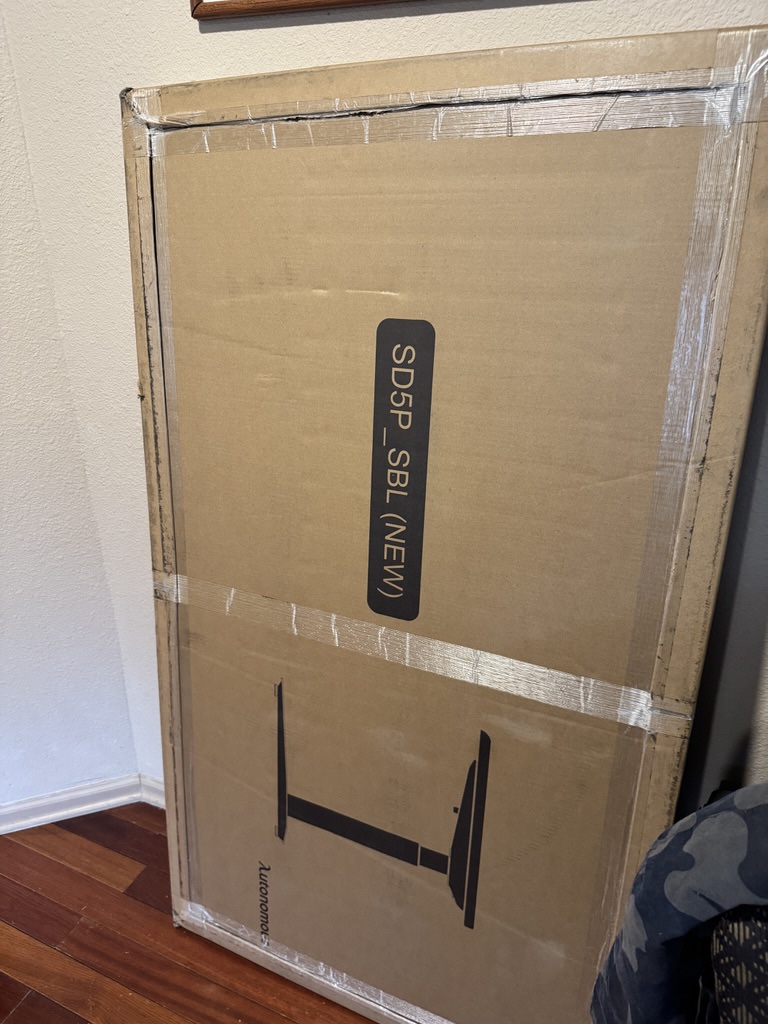
Opening the boxes is where things get genuinely impressive. Autonomous has clearly iterated on their packaging, because the presentation here is meticulous. Custom-molded foam cradles hold every component in place. Nothing rattles, nothing shifts, nothing arrives scratched. This is the kind of packaging you see from companies that have shipped enough products to understand what actually gets damaged in transit and have engineered against every failure mode.
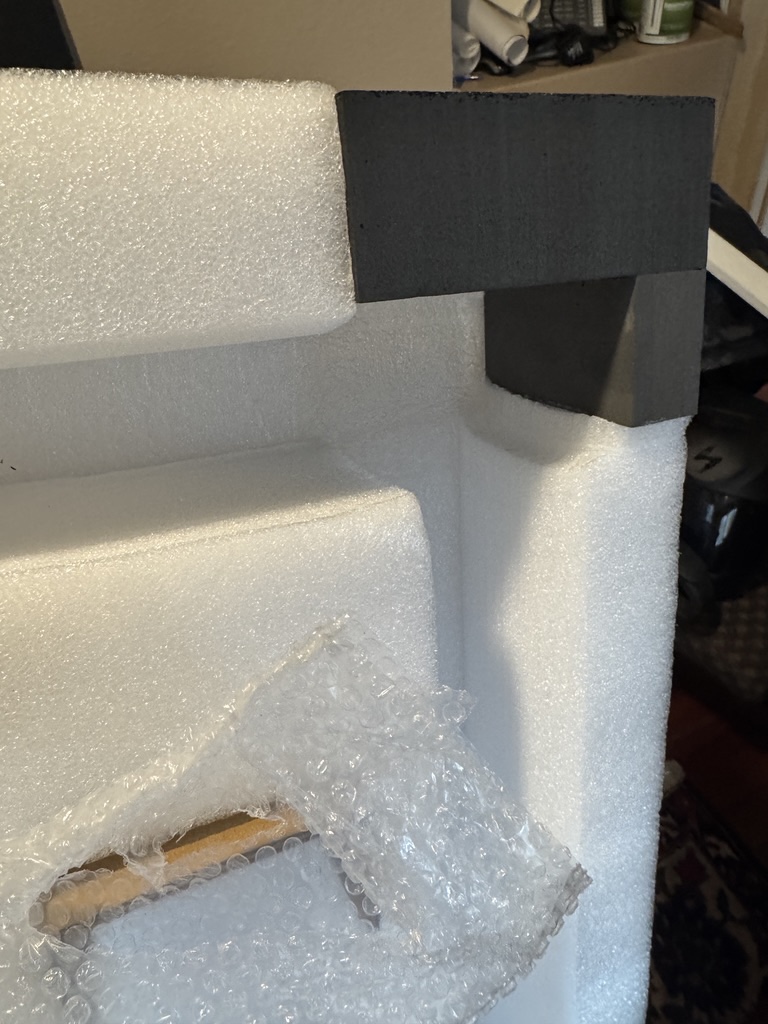
The tabletop deserves its own mention. I spent an embarrassingly long time figuring out how to get it out of the box. It was packaged so solidly, with layers of protective wrapping and interlocking foam sections, that it took a few minutes of genuine puzzling before I worked out the right extraction sequence. In the moment, that was mildly frustrating. In retrospect, it is exactly what you want from a company shipping a large, finished-surface product. The tabletop arrived absolutely pristine — not a scuff, not a dent, not a mark of any kind.
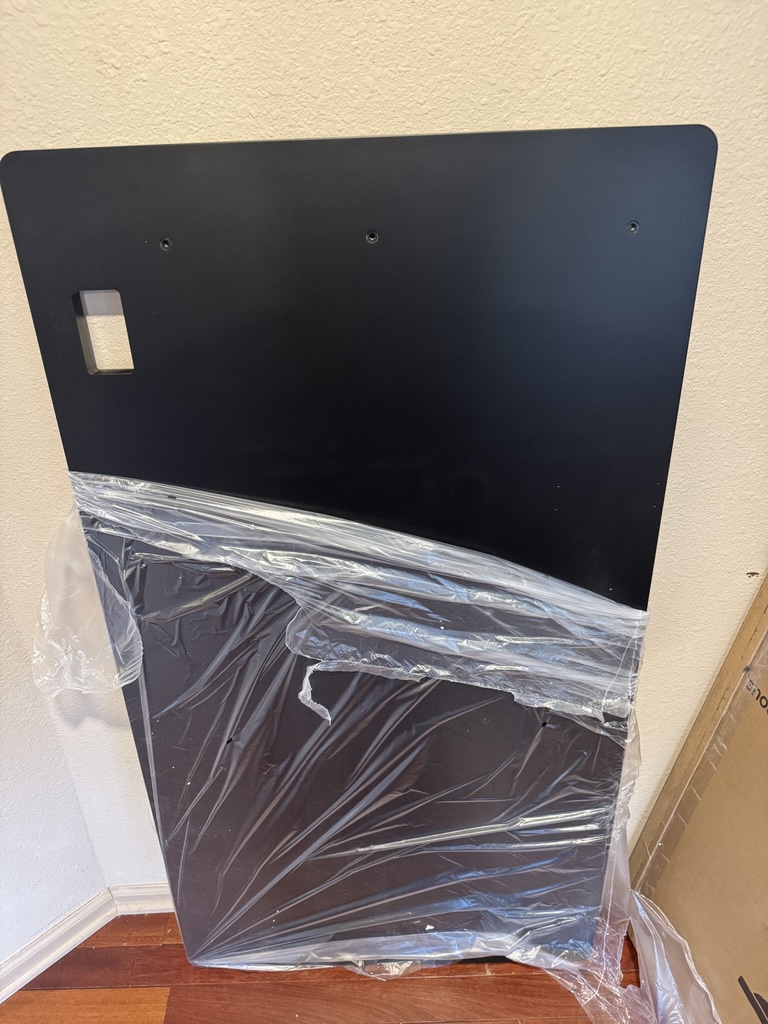
Looking at the tabletop up close for the first time, you notice two things immediately: the pre-drilled screw holes are cleanly finished with no splintering, and there is a precisely machined cutout for the glass touch-control panel. The attention to detail in the manufacturing is obvious before you have assembled a single piece.
Assembly
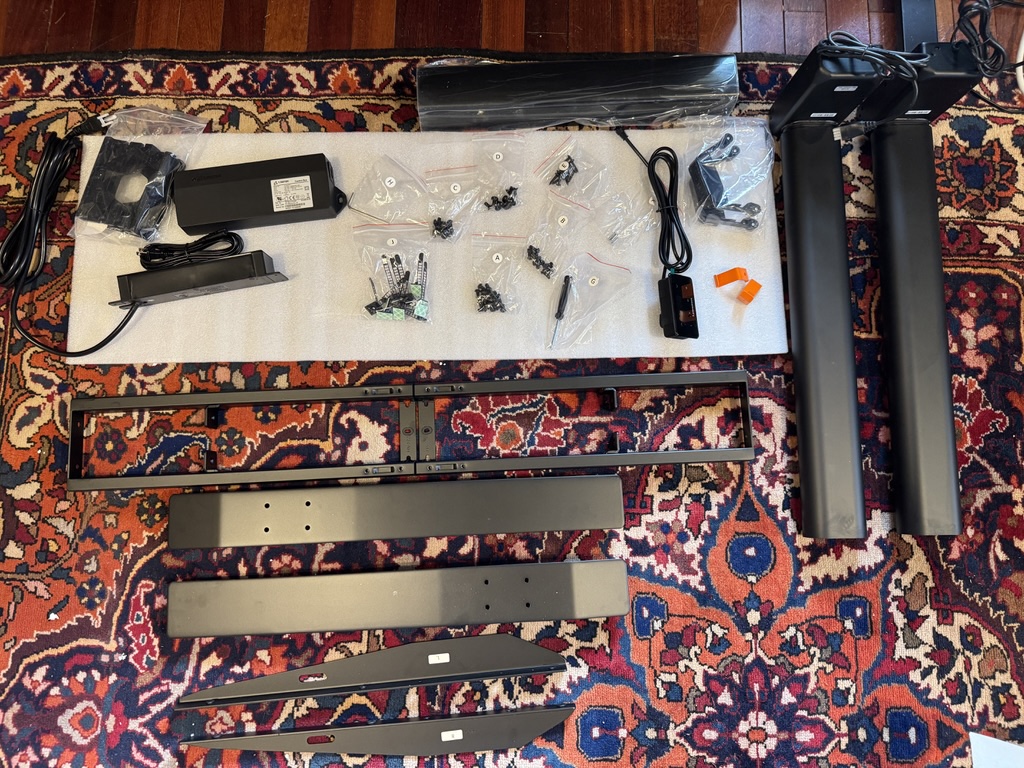
Assembly took me approximately 30 to 45 minutes working solo, which is competitive for a desk at this size and weight class. The parts are well-organized, the hardware bags are labeled by step, and the instructions are clear enough that I never had to backtrack or undo a step. The legs, crossbar, and frame sections all come together intuitively.
Autonomous includes a small screwdriver in the box. It is a thoughtful touch — the little orange handle feels purposeful and on-brand. Here is where I have to be completely honest with you though: that included screwdriver is nearly useless for the tabletop screws. The tabletop is extraordinarily dense and hard. Driving screws into it with a manual screwdriver is slow, awkward work that leaves your wrist sore. You will need a drill.
I would not call this a serious problem — most people assembling a piece of furniture like this have a cordless drill on hand, and a drill makes the job fast and clean. But if you do not own one, borrow one before you start. Trying to muscle through the tabletop screws with the included driver is an exercise in frustration that could leave you with under-tightened hardware.
Once the legs and frame are connected to the tabletop and you flip the desk upright for the first time, you immediately understand why a drill was necessary. This desk is heavy. Seriously heavy. Lifting it into position took real effort, and the moment it settled onto its feet, the mass told you everything about the structural integrity you were getting. There is zero flex when you push on it. Zero wobble when it is extended to standing height. It simply does not move unless you tell it to.
Design & Build Quality
This is where Autonomous has done something I genuinely appreciate: they made a desk that looks like it belongs in a well-designed space rather than something you are tolerating because you needed an adjustable work surface. The metal legs have a beautifully finished texture — not quite matte, not quite gloss, the kind of surface that photographs dark and looks premium in person. The color consistency is excellent throughout.
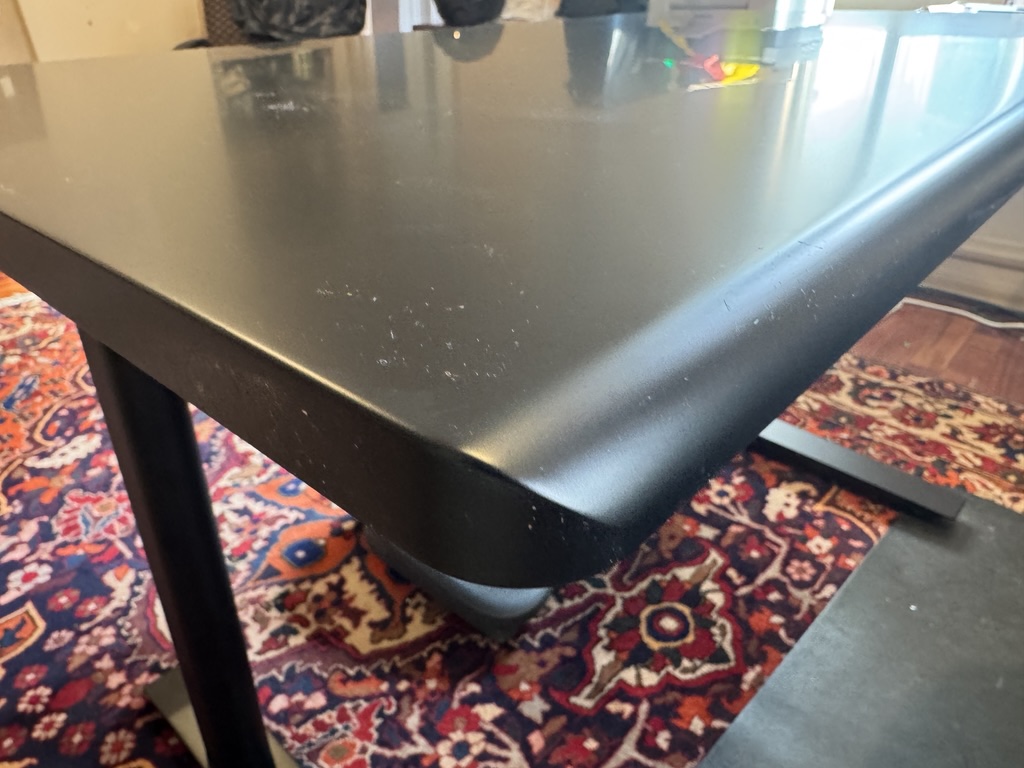
The tabletop edge is curved and slightly beveled rather than squared off. This sounds like a minor cosmetic detail, but after you have spent several hours at this desk, you realize it is an ergonomic choice as much as an aesthetic one. The gentle radius is much kinder on your forearms and wrists than a hard 90-degree edge, which you feel across a full workday.
The glass touch-control panel, flush-mounted into that precision cutout in the tabletop, is one of the most visually satisfying elements of this whole setup.
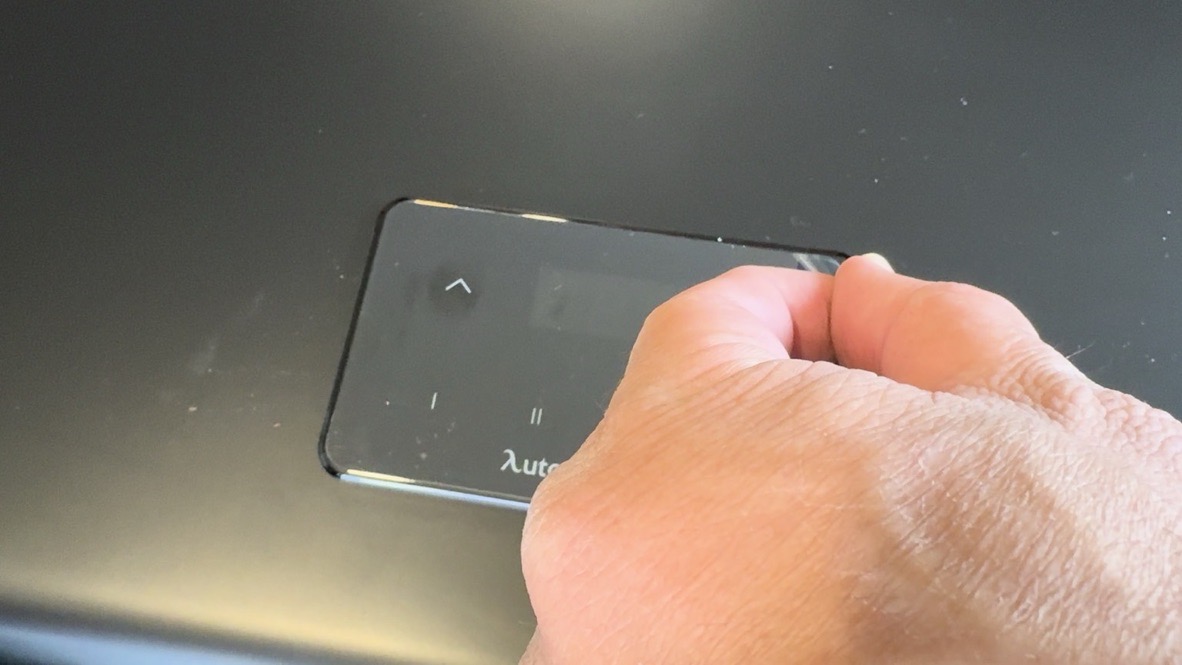
The panel features up and down arrow controls for manual height adjustment, two programmable preset buttons (I and II), and the Autonomous logo. The touch response is fast and precise — press up, the desk moves up smoothly and quietly. Press a preset, it glides to the saved height in seconds. The motor noise is minimal enough that I have used it during video calls without anyone noticing.
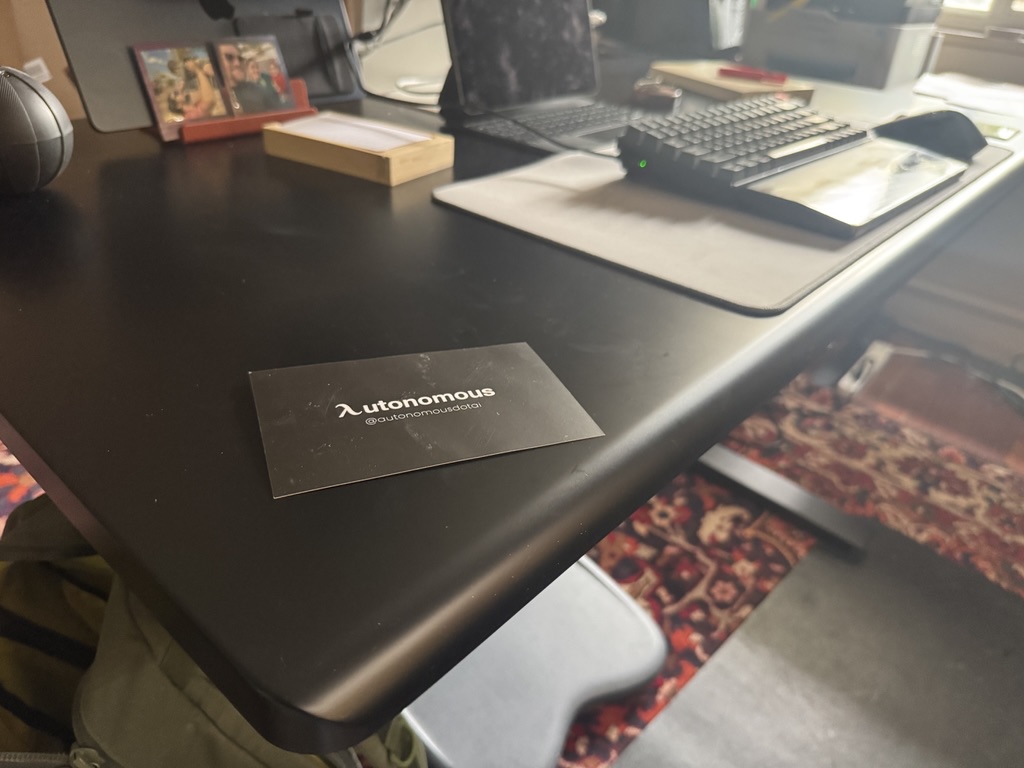
The surface area is generous enough to accommodate a large monitor, an iPad on a stand, a full-size keyboard and mouse, a notepad, and a desk mat with room to spare. This is a working desk, not a display piece — and it functions exactly like one.
Cable Management: Our Favorite Feature
I want to be direct about this: the built-in cable management system on the Autonomous Desk Pro is the single feature that most separates it from competitors at this price. And it is not close.
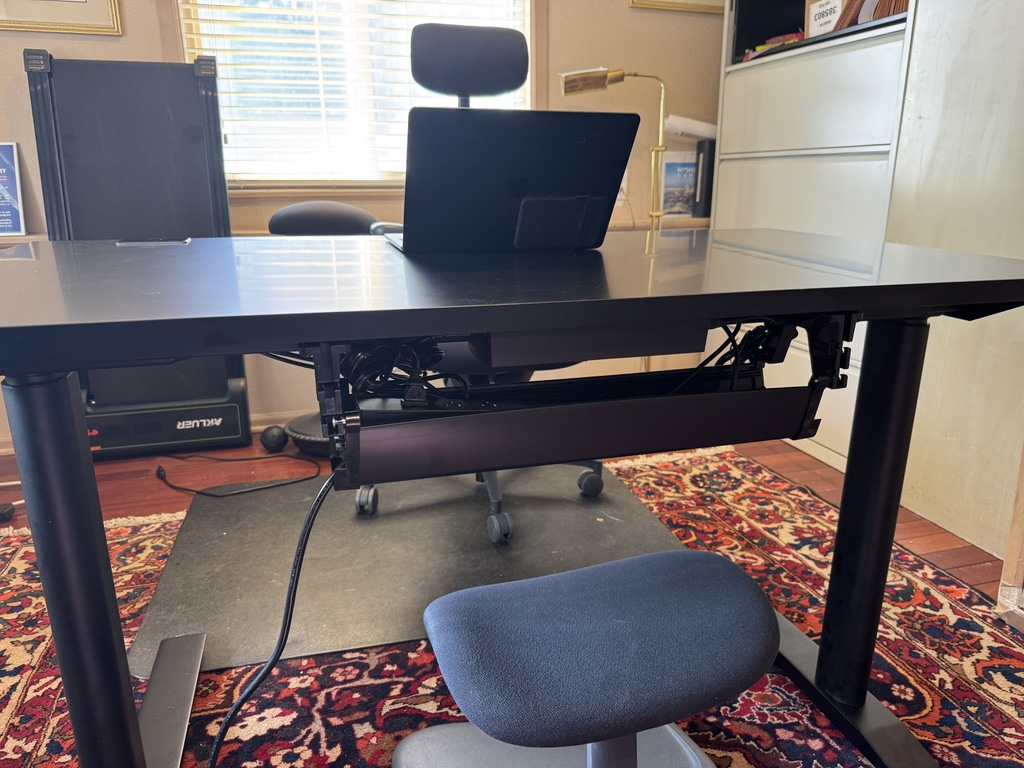
Built into the back of the desk is a cable management caddy — a tray designed to hold a power strip and route cables cleanly away from view. Autonomous ships the desk with a power strip already included. And not a basic strip either: it has standard power outlets, a USB-C port, and a USB-A port. You mount it in the caddy, route your monitor power cable, your laptop charger, your phone cable, and whatever else you need, and the entire cable situation disappears.
My desk setup is legitimately cleaner now than it has ever been in my life. I have struggled with cable management for years — running zip ties, buying cable trays, using adhesive clips — and nothing has ever come close to this level of clean. The fact that it is integrated into the desk rather than an afterthought accessory matters enormously. Everything stays in place when you raise and lower the desk because the tray moves with the desk. The cables do not droop onto the floor when you stand.
Think about what this actually includes when you buy the desk: an under-desk mounting system, a power strip, USB-C charging, USB-A charging, and the cable routing hardware. If you were to buy all of that separately, you would easily spend $50 to $80 before you started. Autonomous bundles it all and designs it to actually work together. For a $499 desk, that is remarkable.
If cable management matters to you — and it matters to most people who have stared at a rat's nest under their desk and felt vaguely ashamed — this feature alone may be the deciding factor. It was for me.
The Details That Matter
The Headphone Hooks
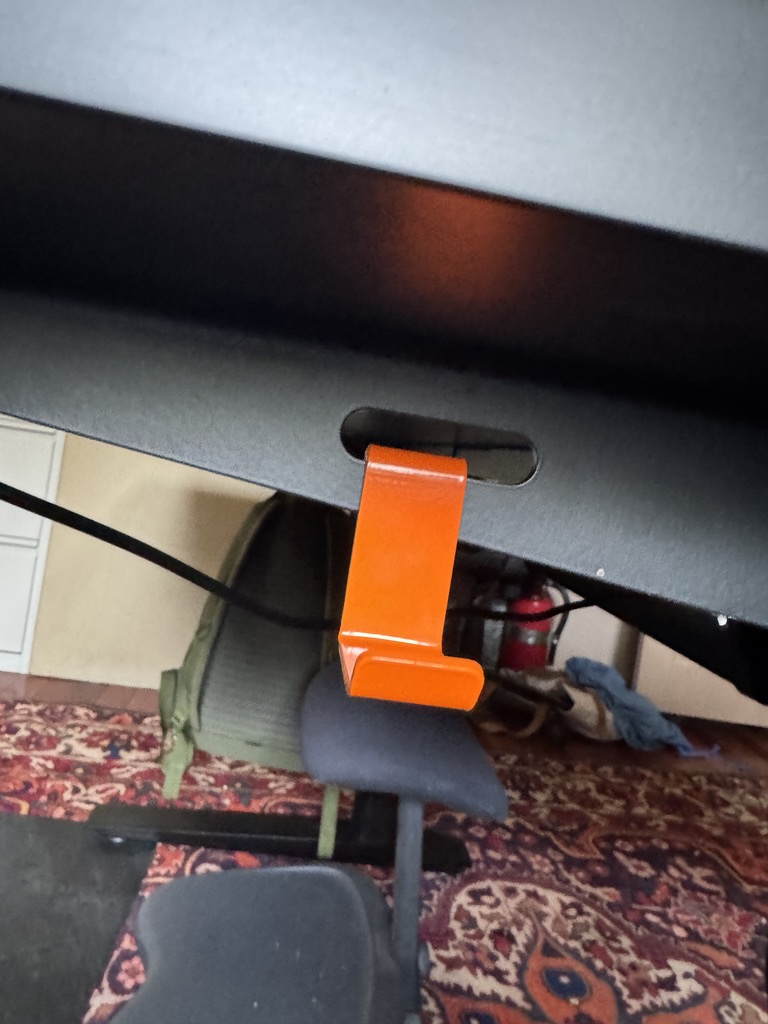
The desk ships with a pair of accessory hooks that slide into built-in slots along the desk edge. They are orange — a deliberate accent color against the black desktop that adds just enough personality to keep the desk from feeling too corporate. In practice, I hang my headphones on one and, occasionally, my work bag strap on the other.
The hooks are a thoughtful detail. They are not sold separately or listed as premium accessories — they are just included, which is exactly the right call. The orange color accent also coordinates with similar orange branding details visible elsewhere on the product, which tells you that someone at Autonomous was thinking about the whole product experience and not just the functional specifications.
Programmable Height Presets Day-to-Day
Having two programmable height presets sounds like a standard feature until you actually use them daily and realize how much they change the experience. My sitting height and standing height are both saved. I switch between them with a single tap, the desk moves without me standing there holding the button, and I get back to work. The transition from sitting to standing takes roughly five seconds. That is short enough that I actually do it, multiple times a day, rather than telling myself I will stand "in a little while."
The motor is dual-motor, which you feel in the smoothness and levelness of the lift. There is no perceptible tilting during the transition, even with a full monitor setup loaded on the surface. The movement starts gently, accelerates through the middle of the range, and decelerates before stopping exactly at the preset height. It is genuinely satisfying to operate.
Stability at Standing Height
One of the most practical tests for any standing desk is what happens when you type vigorously at standing height. Lighter desks flex noticeably, and that oscillation becomes fatiguing and distracting quickly. The Autonomous Desk Pro is so heavy that there is essentially no perceptible movement when typing. Even when I deliberately pushed against the edge of the desk at maximum height, the wobble was minimal — we are talking about a barely perceptible flex in the frame, not the kind of oscillation that would cause a monitor arm to sway. This is a direct consequence of how substantial the build is.
What Could Be Better
I want to be clear that this is genuinely a desk I recommend. But I would be doing you a disservice if I did not talk honestly about its limitations. Here is where it falls short.
The Minimum Height Does Not Go Low Enough for Shorter Users
This is the most meaningful practical limitation of the desk, and it is worth examining carefully before you buy. The Autonomous Desk Pro's minimum height works well for people of average to above-average height in a standard seated position. But compared with the published specs of desks aimed at a wider ergonomic range, it does not reach as low. If you are on the shorter side, or if you share a desk with someone significantly shorter than you, you should measure your ideal seated ergonomic height and compare it carefully against the published minimum. The Uplift V2, for example, reaches down to 24.3 inches, which handles a wider range of users.
The Headphone Hooks Can Detach
The orange side hooks I mentioned in the previous section work beautifully for their intended purpose. The issue is that they slide into their mounting slots rather than locking in. When I pull my work bag off the hook with any kind of lateral force — which is how you naturally remove a bag from a hook — the hook sometimes comes with the bag. It is not a functional disaster, it takes two seconds to slide it back in, but it is a bit annoying. I wish the mounting mechanism had a small locking click or a slightly tighter fit. For headphones, which you remove straight down, this is never an issue. For bag straps with lateral weight, it happens occasionally.
The Included Screwdriver Is Insufficient
I mentioned this in the assembly section, but it deserves a spot on the cons list too. Including a screwdriver implies you can assemble the desk with just the included screwdriver. You cannot, practically speaking. The tabletop material resists manual driving enough that you need a drill for an acceptable experience. Either remove the screwdriver from the box to avoid the implication, or upgrade the manual tool to something with more torque. This is a small thing, but expectations matter — and when the instruction tells you to use the included tool and the included tool barely works, it sets the wrong tone for what is otherwise a premium unboxing experience.
Those are the real cons. You will notice there is no "the motor is loud" or "the finish scratches easily" or "the electronics are unreliable" — because none of those things are true. The desk's core mechanical and aesthetic quality is genuinely excellent. The limitations are specific and manageable.
How It Compares
The standing desk market is crowded, and the $500 to $900 range is where most of the serious competition lives. Here is how the Autonomous Desk Pro stacks up against the two desks I consider its most relevant competitors.
| Autonomous Desk Pro | FlexiSpot E7 Pro | Uplift V2 | |
|---|---|---|---|
| Price | $499 | $649 | $899+ |
| Weight Capacity | 310 lbs | 440 lbs | 355 lbs |
| Min Height | 26.2" | 25.0" | 24.3" |
| Max Height | 44.1" | 50.6" | 49.9" |
| Cable Management Tray | Built-in | Add-on accessory | Add-on accessory |
| Power Strip Included | Yes (w/ USB-C & USB-A) | No | No |
| Touch Controls | Glass touch panel | Standard keypad | Standard keypad |
| Programmable Presets | 2 | 4 | 4 |
On paper, the FlexiSpot E7 Pro is a strong desk with a solid reputation among owners. Its published 440-pound weight capacity is essentially unmatched at this price and makes it the obvious choice if you have a multi-monitor battlestation, a heavy desktop computer on the surface, or plan to lean on your desk heavily. But it costs $120 more than the Autonomous and comes with none of the cable management infrastructure. When you factor in buying a cable tray separately, the price gap narrows considerably.
The Uplift V2 is the premium choice with the widest height range, the lowest minimum height, and the most extensive accessory ecosystem. It is also the most expensive by a wide margin. For many users, that premium is not justified by the practical differences in daily use. The Uplift is well regarded, but if your budget is under $700, the Autonomous outperforms it on value.
Where the Autonomous wins unambiguously is value per feature. You get glass touch controls, built-in cable management, an included power strip with USB-C, and beautiful aesthetics at a price that undercuts both competitors significantly. For a home office user who wants a desk that looks and works like a premium product without the premium price tag, the Autonomous Desk Pro is the stronger recommendation.
Who Should Buy the Autonomous Desk Pro
-
✓
Remote workers who care about their setup
If you are spending eight or more hours a day at your desk and you want it to look as professional as the work you do at it, this desk delivers. The clean aesthetic is especially valuable if you are ever on video calls and your background is visible.
-
✓
Cable chaos refugees
If you have tried every cable organizer on the market and still have a mess under your desk, the built-in caddy and included power strip will change your life. This is not hyperbole. It is the most effective cable management solution I have used, and I have tried many.
-
✓
People upgrading from a budget standing desk
If you bought a $200 to $350 standing desk, used it for a year, and noticed it wobbles at standing height, the surface is scratched, or the motor is loud and slow — this is a significant step up across every dimension. The weight difference alone will surprise you.
-
✓
First-time standing desk buyers with a real budget
If you have saved up for a quality standing desk and want to buy something once rather than upgrade in two years, $499 for the Autonomous Desk Pro is the right amount to spend. You are getting a desk that should last a decade or more.
-
✓
Design-conscious users
The glass controls, the curved edge, the orange accent hooks — this desk has a considered aesthetic that goes beyond "functional office furniture." If your workspace matters to you as an environment, this desk belongs in it.
Who Should Look Elsewhere
The Autonomous Desk Pro is not the right desk for everyone. Here is who should consider a different option.
-
✗
Very tall users or those who need an extreme height range
If you are over 6'4" or share your desk with someone significantly shorter than you, compare the exact minimum and maximum heights against your requirements before purchasing. The Uplift V2 has a wider range and may serve you better, particularly at the low end.
-
✗
Users who need 400+ lbs of weight capacity
If you are building a multi-monitor workstation with heavy peripherals, a large desktop tower, or any setup that approaches the limits of desk capacity, the FlexiSpot E7 Pro's 440-pound capacity is the safer choice. The Autonomous's 310-pound limit is sufficient for the vast majority of home office setups, but not for the heaviest configurations.
-
✗
People who strongly prefer purchasing through Amazon
The Autonomous Desk Pro is sold through Autonomous.ai, not Amazon. If Amazon Prime shipping, Amazon's return process, or Amazon-specific financing options are important to you, the FlexiSpot E7 or Fully Jarvis are available on Amazon and are both legitimate choices.
-
✗
Budget buyers under $400
If $499 is a stretch and you are hoping to get most of what this desk offers for significantly less, be honest with yourself: the cable management system and build quality here are tied to the price. A $300 desk will not give you these things. Consider saving for a few more weeks or looking at the Autonomous SmartDesk Core as an entry-level option.
The Verdict
I have owned an Autonomous standing desk, in some form, for nearly a decade. I have moved it across the country more than once. I have assembled and disassembled it in apartments and offices that had no business housing a desk this large. When I sold it, I missed it. That kind of product loyalty is earned, not given.
The Autonomous Desk Pro is a meaningful step forward from what Autonomous was doing ten years ago. The cable management system is genuinely innovative at this price point — bundling a power strip with USB-C and USB-A into a built-in caddy is not just a nice feature, it is a signal that someone at Autonomous thought carefully about how people actually use their desks rather than just building to a spec sheet.
The build quality is exceptional. The glass controls are a differentiator. The curved edge is a small-but-real ergonomic improvement. The headphone hooks are a nice accent. The stability at standing height is about as good as I have experienced at any price.
The minimum height limitation is real and worth verifying against your own needs. The headphone hooks coming off occasionally is mildly annoying. The included screwdriver is inadequate and should either be upgraded or dropped from the box.
None of those things change my daily reality, which is this: the Autonomous Desk Pro is now my permanent home office desk. I am not reviewing it for a few weeks and moving on. I set it up, I liked it, and it stayed. That is the most honest endorsement I can give.
Autonomous Desk Pro — Highly Recommended
The best-value premium standing desk for home office users who prioritize clean cable management, strong build quality, and a desk that looks as good as it functions. Now my permanent daily driver.
Exclusive Offer for TestBeforeYouBuy Readers
Get a Discount on the Autonomous Desk Pro
Use code testbeforeyoubuy at checkout on Autonomous.ai for savings on your order.
testbeforeyoubuy
Affiliate link. We earn a small commission at no extra cost to you. Discount code may be updated — check the listing for current pricing.
Frequently Asked Questions
Is the Autonomous Desk Pro worth the price? ⌄
How long does it take to assemble the Autonomous Desk Pro? ⌄
What is the height range of the Autonomous Desk Pro? ⌄
Does the Autonomous Desk Pro come with a power strip? ⌄
How does the Autonomous Desk Pro compare to the FlexiSpot E7 Pro? ⌄
Can I buy the Autonomous Desk Pro on Amazon? ⌄
Not Sure Which Desk Is Right for You?
Take the Standing Desk Finder Quiz
Answer 5 quick questions about your height, budget, and workspace — we'll match you to the best standing desk for your situation.
Find My Perfect Desk