Best Home Office Setup 2026: Complete Buying Guide by Budget
Updated 2026 | By TestBeforeYouBuy Team

The Philosophy
A great home office isn't about spending the most money—it's about investing in the right places. Prioritize ergonomics first (chair, desk height, monitor position), then productivity tools (monitor, keyboard), then aesthetics.
Below you'll find complete setups at three budget levels. Each is carefully balanced to maximize value at that price point. Pick your budget and start shopping—or mix and match components across tiers.
Affiliate Disclosure: We may earn a commission when you purchase through links on this page.
Jump to Your Budget
The $1,000 Setup: Smart Essentials
At $1,000, you can build a legitimately comfortable, productive workspace. The key is choosing products that punch above their weight class—we've done that work for you.
FLEXISPOT E6 Max Standing Desk
Electric sit-stand, dual motors, 220 lb capacity. 90% of the premium experience at a budget price.
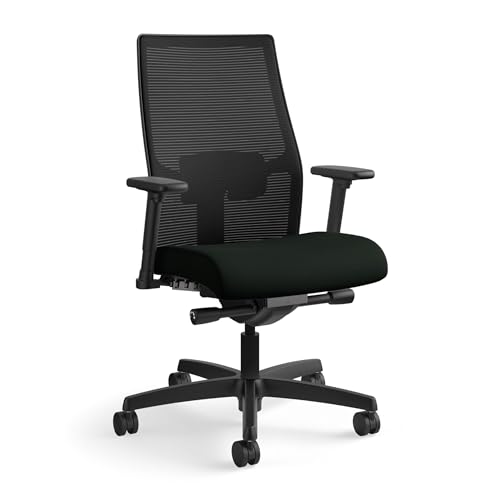
HON Ignition 2.0 Chair
Best ergonomic chair under $500. Adjustable lumbar, 4D arms, mesh back. Genuine ergonomics at a budget price.
Dell S2725QC 27" 4K Monitor
4K IPS with USB-C (65W charging). Sharp display that charges your laptop with one cable.

Logitech MX Keys Mini
Compact wireless keyboard with backlight. Premium typing feel, multi-device Bluetooth.

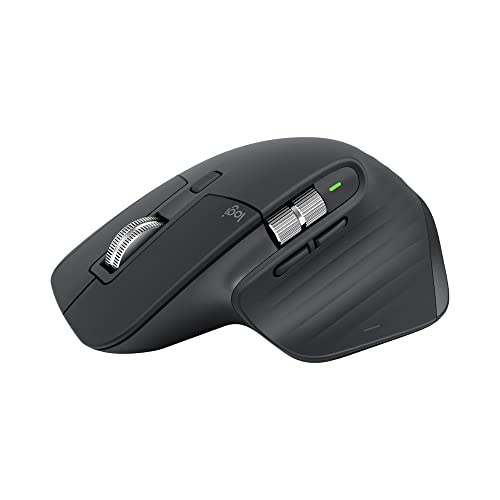
Logitech MX Master 3S
The productivity mouse. Ergonomic shape, MagSpeed wheel, customizable buttons.
Total: under $1,500
Slight overage gets you proper ergonomics. Worth every penny for your health.
The $2,500 Setup: Professional Grade
At $2,500, you can build a setup that rivals professional offices. Premium ergonomics, better displays, and quality accessories that will last a decade.
FLEXISPOT E6 Max Standing Desk
Dual motors and 3-stage legs for a stable, quick-lifting desk at a budget price.
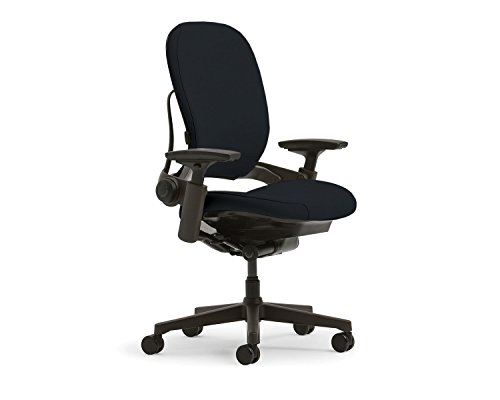
Steelcase Leap V2 (Refurbished)
Best ergonomic chair in our research. Buy refurbished from Crandall or BTOD for huge savings.
LG UltraGear 27GR83Q-B 27" 1440p
Nano IPS for work, 165Hz for gaming. Excellent all-rounder that does everything well.

Ergotron LX Monitor Arm
Premium monitor arm. Buttery smooth, 10-year warranty. Mount your monitor properly.

CalDigit TS4 Thunderbolt Dock
18 ports, 98W charging. Connect everything with one cable. Professional-grade connectivity.

Logitech MX Keys + MX Master 3S
Premium keyboard/mouse combo. The productivity standard.
Logitech Brio 500 Webcam
1080p webcam with excellent auto-exposure. Perfect for video calls.

Total: under $3,000
Professional-grade setup that will serve you for years.
The $5,000+ Setup: No Compromises
At $5,000+, you're buying the best of everything. This setup prioritizes ergonomics, display quality, and premium materials throughout. Buy once, use for a decade.
UPLIFT Desk V3 Standing Desk
Ultimate customization. Premium walnut top, advanced cable management, cross-support frame.

Herman Miller Aeron (New)
The iconic ergonomic chair. PostureFit SL lumbar, 12-year warranty. Industry standard for a reason.

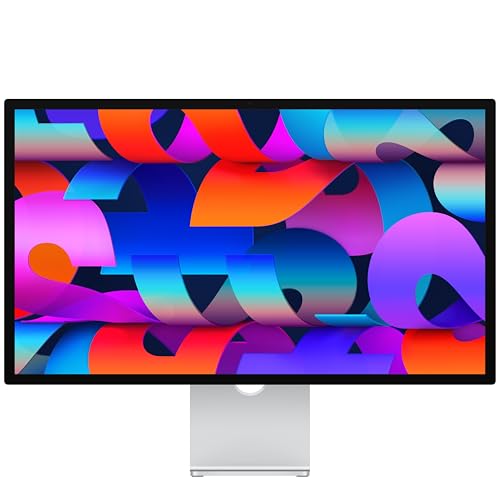
Apple Studio Display
27" 5K Retina, P3 color, 600 nits. The best display for Mac users. Stunning clarity.
Ergotron HX Monitor Arm
Heavy-duty arm for premium displays. Handles up to 42 lbs. Buttery smooth movement.

CalDigit TS4 Thunderbolt Dock
18 ports, 98W charging. The connectivity hub for professionals.
Logitech Ergo K860 + MX Master 3S
Ergonomic keyboard + premium mouse. Protect your wrists while maximizing productivity.

Insta360 Link 2 Webcam
4K AI-powered webcam with tracking gimbal. Look professional on every call.

Elgato Key Light (x2)
Professional lighting for video calls. App-controlled, desk-mounted.

Total: over $5,000
No compromises. The best of everything for those who demand it.
Where to Invest: Priority Guide
1. Chair (Highest Priority)
You'll sit in it 8+ hours a day. A bad chair causes lasting health issues. This is not where to save money.
2. Desk
Standing desks are worth it if you'll actually use them. At minimum, ensure proper height for your chair and monitor.
3. Monitor
You stare at it all day. A good monitor reduces eye strain and increases productivity. Worth investing in.
4. Keyboard & Mouse
Your primary input devices. Ergonomic options help prevent RSI. Quality pays off over years of use.
5. Everything Else
Docks, webcams, lighting—all valuable but lower priority than the fundamentals above.
The Bottom Line
A home office is an investment in your health and productivity. At any budget, prioritize ergonomics first—chair, desk, monitor position. Everything else can be upgraded later.
The $2,500 tier represents the sweet spot: professional-grade equipment that will last a decade without breaking the bank. If you can stretch to this level, you won't regret it.
But even the $1,000 tier builds a genuinely comfortable, productive workspace. Start where you can afford, and upgrade pieces as budget allows.