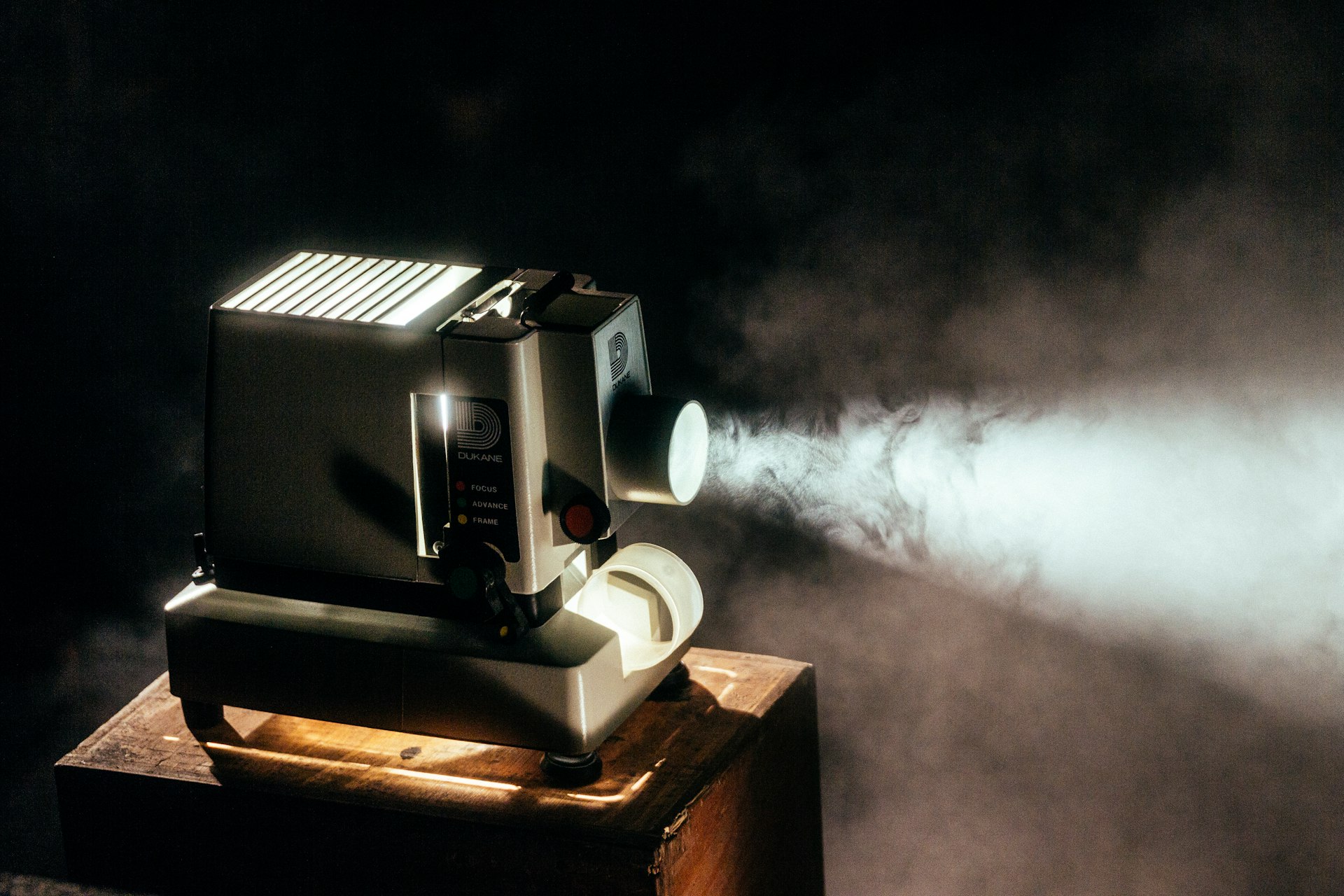
Why Buy a Used Home Theater Projector?
Home theater projectors offer a cinematic experience that even the largest TVs cannot match. A 100-inch or larger projected image transforms any room into a private cinema, delivering immersive movie nights, gaming sessions, and sports viewing. Quality projectors from brands like Sony, Epson, JVC, and BenQ retain their performance characteristics for years, making used units an excellent value.
Recommended Products
Based on our research, here are some top picks:
BenQ TK700 4K Gaming Projector -

Under $1,500
MageScreen 120 inch Manual Pull Down -

Under $250
As an Amazon Associate, we earn from qualifying purchases.
A new 4K HDR projector can cost $2,000-$5,000 or more, while well-maintained used models often sell for 40-60% of their original price. Premium laser projectors that originally retailed for $4,000+ become accessible to more buyers on the used market. The technology hasn't changed as rapidly as TVs, so a 2-3 year old projector still delivers excellent performance.
This guide teaches you how to evaluate lamp condition, assess image quality, test all inputs and features, and identify potential problems. Whether you want a dedicated home theater or a multi-purpose media room, proper testing ensures you get years of enjoyment from your purchase.
Pro Tip: Always test projectors in a darkened room similar to your intended viewing environment. Image quality that looks acceptable in a bright showroom may reveal problems in a properly dark home theater.
Understanding Projector Technologies
Different projection technologies have distinct characteristics, maintenance requirements, and failure modes. Understanding these differences helps you evaluate condition appropriately and set realistic expectations.
3LCD (Epson, Sony)
Uses three liquid crystal panels for red, green, and blue. Produces vibrant colors with excellent color accuracy.
- • Excellent color brightness and accuracy
- • No rainbow effect (single-chip DLP issue)
- • LCD panels can develop dust blobs over time
- • Organic panel degradation possible in older units
- • Filter cleaning is essential maintenance
DLP (BenQ, Optoma, Texas Instruments)
Uses a Digital Micromirror Device (DMD) chip. Single-chip designs use a color wheel; 3-chip designs eliminate rainbow effect.
- • Excellent contrast and black levels
- • No panel degradation like LCD
- • Potential rainbow effect on single-chip models
- • Color wheel can wear out over time
- • Fast response time, great for gaming
LCoS/SXRD/D-ILA (Sony, JVC)
Liquid Crystal on Silicon combines LCD and DLP benefits. Premium technology found in high-end projectors.
- • Best native contrast ratios available
- • Smooth film-like image quality
- • No rainbow effect or screen-door effect
- • Higher cost and complexity
- • Panel alignment can drift over time
Laser Light Source
Replaces traditional lamp with laser diodes. Available with all display technologies.
- • 20,000+ hour lifespan (no lamp replacement)
- • Instant on/off, no warm-up time
- • Maintains brightness over lifetime
- • Higher initial cost
- • Laser diode failure is expensive to repair
Lamp Hours: The Critical Factor
For lamp-based projectors, remaining lamp life is the single most important factor affecting value. Replacement lamps cost $100-$400 depending on model, so lamp hours directly impact your true cost of ownership.
Checking Lamp Hours
Access the projector's menu system to find lamp hour information. This is typically located under:
- Settings → Information → Lamp Hours
- Menu → About/Info → Lamp Usage
- Extended → Lamp Life Remaining
| Lamp Condition | Hours Used | Price Impact | Buyer Guidance |
|---|---|---|---|
| New/Excellent | 0-500 hours | Full price | Years of use remaining |
| Good | 500-2000 hours | Moderate discount | Significant life remaining |
| Moderate | 2000-3500 hours | Larger discount | Budget for lamp replacement soon |
| High Usage | 3500-5000 hours | Subtract lamp cost | Lamp replacement needed soon |
| End of Life | 5000+ hours | Significant discount | Immediate lamp replacement |
Important: Lamp hours can be reset, so verify actual lamp condition matches reported hours. A "low hour" lamp that appears dim suggests the counter was reset. Compare brightness to specifications or another unit if possible.
Laser Projector Considerations
Laser projectors don't require lamp replacement but still accumulate operating hours. Laser diodes maintain approximately 50% brightness at their rated lifespan (typically 20,000 hours). Check:
- Total operating hours in the menu
- Light source hours separate from projector power-on hours
- Any warning messages about light source life
Image Quality Testing
Thorough image quality testing reveals panel issues, optical problems, and processing defects. Bring test content on a USB drive or laptop to evaluate all aspects of image reproduction.
Essential Test Patterns
- Solid white screen: Look for dust blobs (dark spots), dead pixels, uniformity issues, and color tinting. Any visible spots or discoloration are permanent defects.
- Solid black screen: Evaluate black level depth and light leakage. Check corners for uneven illumination or "light bleeding" around the edges.
- Color bars: Verify accurate color reproduction across the spectrum. Colors should be distinct without bleeding into each other.
- Sharpness pattern: Check focus uniformity across the entire screen. All four corners should be as sharp as the center.
- Convergence grid: Look for color fringing on white lines. Misaligned panels show colored edges (especially red/blue separation).
Common Image Defects
Deal Breakers
- • Multiple dust blobs (costly cleaning)
- • Dead/stuck pixels in center of image
- • Severe panel misalignment
- • Warped or distorted image geometry
- • Color wheel artifacts (banding/segments)
Negotiate Price
- • Minor dust spots near edges
- • Slight uniformity issues
- • Small convergence errors
- • Dim corners (lamp aging)
- • Minor light bleed in dark scenes
Motion Handling
Test with fast-moving content (sports, action movies, games) to evaluate motion processing:
- Check for motion blur during fast panning shots
- Look for judder with 24fps film content
- Verify frame interpolation works if equipped
- Test game mode for reduced input lag
Lens and Optical Inspection
The lens is the projector's eye to the world. Damage here affects every image displayed. Careful inspection prevents buying a projector with unrepairable optical issues.
Visual Lens Inspection
- Remove lens cap and inspect glass for scratches or chips
- Look for fungus growth (appears as web-like patterns)
- Check for internal condensation or moisture damage
- Verify lens coating is intact (no haze or discoloration)
- Inspect lens mount for cracks or damage
Lens Adjustment Testing
- Zoom range: Verify zoom operates smoothly through full range without grinding or binding.
- Focus: Test focus adjustment from close to far. Focus should be sharp across entire image simultaneously.
- Lens shift: If equipped, test horizontal and vertical lens shift. Verify full range of motion and image remains sharp when shifted.
- Motorized controls: For powered zoom/focus/shift, verify all motors function and respond to remote commands.
Interchangeable Lens Models
Premium projectors with interchangeable lenses require additional checks:
- Verify included lens matches advertised throw ratio
- Check lens mount contacts for corrosion or damage
- Test lens release mechanism operates smoothly
- Confirm projector recognizes lens correctly in menu
Connectivity and Inputs
Modern home theater requires multiple connections and reliable handshaking. Test every input you plan to use, as HDMI issues are common in older projectors.
HDMI Testing
- Test all HDMI ports with your source device
- Verify HDCP compliance (streaming services require this)
- Check for stable handshake (no flickering or dropouts)
- Test 4K/60Hz and HDR signals if supported
- Verify ARC/eARC functionality if using projector audio output
Additional Connections
- USB ports: Test media playback from USB drives. Verify supported formats.
- Network/Wi-Fi: If equipped, verify connectivity and streaming features work.
- Audio output: Test optical/analog audio output with your sound system.
- RS-232/IP control: For automation systems, verify control ports function.
- Trigger output: Test 12V trigger for motorized screens if needed.
Pro Tip: Bring your own HDMI cables and source device (laptop, Blu-ray player, or streaming stick) for testing. This eliminates variables and ensures compatibility with your equipment.
4K and HDR Testing
4K and HDR capabilities significantly impact home theater projector value. Verify these features work correctly, as many projectors have limitations or compatibility issues with certain sources.
4K Resolution Verification
- Native 4K vs. pixel-shifting (both valid, different approaches)
- Verify 4K signal is accepted and displayed at full resolution
- Check information display confirms 3840x2160 input
- Test with 4K test patterns for full resolution detail
- Verify no scaling artifacts or softness compared to 1080p
HDR Performance
HDR on projectors is challenging due to limited brightness compared to TVs. Evaluate carefully:
- HDR formats supported: HDR10, HLG, Dolby Vision (rare on projectors)
- Tone mapping quality: HDR content should look natural, not washed out or clipped
- Peak brightness: Verify specular highlights are visible but not blown out
- Shadow detail: Dark scenes should retain detail without crushing to black
- Color volume: HDR should expand color range noticeably
Reality Check: Projector HDR is a compromise. Even the best projectors can't match OLED TV HDR. Focus on good tone mapping rather than peak brightness specifications.
Gaming Performance Testing
If you plan to game on your projector, input lag and response time are critical. Modern projectors have made significant improvements, but testing remains essential.
Input Lag Evaluation
- Enable game mode/low latency mode in projector settings
- Use a lag testing tool or compare to known low-lag display
- Target: Under 30ms for casual gaming, under 20ms for competitive
- Verify game mode doesn't disable essential features (4K/HDR)
- Test with your specific gaming console or PC
Gaming-Specific Features
- Variable Refresh Rate (VRR): HDMI 2.1 feature that reduces tearing. Verify compatibility with your source.
- Auto Low Latency Mode (ALLM): Automatically switches to game mode when gaming sources are detected.
- 120Hz support: For fast-paced gaming, verify if projector accepts 1080p or 4K at 120Hz.
- Motion interpolation bypass: Verify frame interpolation can be fully disabled for gaming.
Brand-Specific Evaluation Guide
Sony Projectors
Sony's SXRD/LCoS technology delivers exceptional image quality with native 4K resolution in premium models.
- • SXRD panels require alignment check (grid pattern test)
- • Native 4K models (VPL-VW series) hold value exceptionally well
- • Reality Creation processing is highly regarded
- • Laser models eliminate lamp concerns entirely
- • Check for iris motor noise on models with dynamic iris
Epson Projectors
Epson dominates the home theater market with excellent 3LCD projectors at various price points.
- • 3LCD technology provides vibrant color with no rainbow effect
- • Check for dust blobs on white screen test pattern
- • Filter cleaning history important—ask about maintenance
- • Pro Cinema/Home Cinema lines offer excellent value used
- • 4K PRO-UHD uses pixel shifting—still looks great
JVC Projectors
JVC's D-ILA technology offers class-leading native contrast for the ultimate dark room experience.
- • D-ILA panels deliver best-in-class native contrast
- • Check panel alignment carefully with grid patterns
- • e-shift models use pixel shifting for 4K resolution
- • Native 4K D-ILA models are premium but exceptional
- • Frame Adapt HDR processing highly regarded
BenQ Projectors
BenQ offers excellent DLP projectors with great gaming performance and value pricing.
- • Single-chip DLP—test for rainbow effect sensitivity
- • CinematicColor modes provide accurate presets
- • Excellent gaming modes with low input lag
- • 4K pixel-shift performs well in real content
- • Listen for color wheel noise during quiet scenes
Optoma Projectors
Optoma provides competitive DLP options with strong gaming features and value pricing.
- • DLP technology with fast response times
- • UHD series offers good 4K value
- • Check for rainbow effect sensitivity (single-chip DLP)
- • Gaming mode input lag competitive with BenQ
- • Laser models available at competitive prices
Used Home Theater Projector Pricing Guide
Projector values depend heavily on lamp hours, resolution, HDR capability, and overall condition. These prices reflect typical used market values for properly functioning units.
| Projector Category | New Price | Used (Low Hours) | Used (Moderate) | Used (High Hours) |
|---|---|---|---|---|
| Entry 1080p (Epson 880, BenQ TH685) | Under $1,000 | $400-$550 | $300-$400 | $150-$300 |
| Entry 4K Pixel-Shift (Epson 5050UB) | Under $3,000 | $1,500-$2,000 | $1,100-$1,500 | $700-$1,100 |
| Mid-Range 4K DLP (BenQ TK700STi) | Under $2,000 | $900-$1,200 | $650-$900 | $400-$650 |
| Premium 4K (Sony VPL-VW295ES) | $5,000+ | $3,000-$4,000 | $2,200-$3,000 | $1,500-$2,200 |
| Reference Class (JVC DLA-NZ7) | over $5,000 | $6,000-$8,000 | $4,500-$6,000 | $3,000-$4,500 |
| Laser (No Lamp Replacement) | $3,000-$15,000 | 60-70% of new | 50-60% of new | 40-50% of new |
Value Adjustments
- New lamp installed: Add $100-$200 to value
- Original packaging/accessories: Add 5-10% to value
- Extended warranty remaining: Significant value add
- Calibration included: Professional ISF calibration adds value
- Ceiling mount included: Add $50-$150 depending on quality
- Visible defects: Dust blobs, dead pixels reduce value 15-30%
Interactive Testing Checklist
Use this checklist during your inspection. Tap items to mark them complete.
Final Buying Tips
- Test in darkness: A proper dark room reveals issues invisible in ambient light.
- Bring test content: Download test patterns and sample clips on USB for consistent evaluation.
- Verify serial number: Check manufacturer warranty status and recall history.
- Ask about usage: Home theater use (occasional movies) is easier on projectors than commercial use.
- Factor in lamp cost: If buying a high-hour unit, subtract lamp replacement cost from offer.
- Check filter condition: Clogged filters indicate poor maintenance and potential overheating history.
- Consider installation: Factor in mount, screen, cabling, and calibration costs for total investment.
Deciding on a specific model? We review the JVC DLA-NZ7 D-ILA laser projector review and Epson Home Cinema LS11000 review in full.