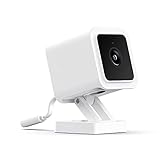
Dash Cam Quality Test
Comprehensive testing checklist for dash cam video quality and features.
Video Quality Assessment
Review sample footage and check these quality factors.
Daytime Recording
Nighttime Recording
G-Sensor Sensitivity Test
Test the impact detection sensor at different sensitivity levels.
How to test:
- Set G-sensor to high sensitivity
- Lightly tap the dash cam and verify it locks the file
- Drive over a small bump and check if it triggers
- Adjust sensitivity until it triggers on actual impacts only
Triggers easily, may false-trigger on bumps
Balanced for most driving conditions
Only triggers on significant impacts
Loop Recording Verification
Verify seamless loop recording without gaps.
Estimated Recording Time: 7.1 hours
Before oldest files are overwritten
Parking Mode Test
Verify parking surveillance functionality.
Complete Evaluation Checklist
Hardware
Audio
GPS (if equipped)
App & Connectivity
Complete Guide to Dash Cam Testing
Why Dash Cam Quality Testing Matters
Dash cams serve as silent witnesses during driving incidents, but they only provide value if the footage is usable. A dash cam that can't capture legible license plates fails its primary purpose. Poor night vision means critical details go unrecorded in low light conditions. When purchasing a used dash cam, thorough testing ensures the device will perform when you need it most.
Used dash cams can represent significant savings over new purchases, especially for premium models. However, image sensor degradation, heat damage from extended sun exposure, and worn mounting hardware are common issues. Our comprehensive checklist above covers the essential tests to verify functionality before committing to a purchase.
Understanding Video Quality Specifications
Resolution alone doesn't determine dash cam quality. A four thousand pixel camera with poor optics or aggressive compression may produce worse footage than a well-designed ten eighty resolution model. When reviewing specifications, consider resolution, frame rate, bitrate, and sensor quality together rather than focusing on any single specification.
Higher bitrates preserve more detail by reducing compression artifacts. Budget cameras often record at twelve to fifteen megabits per second while premium models exceed twenty-five megabits per second. Higher bitrates require more storage space but maintain image quality, especially in complex scenes with lots of movement or fine detail.
Frame rate affects motion clarity and smooth playback. Most dash cams record at thirty frames per second, which is adequate for typical driving. Higher frame rates of sixty frames per second improve motion clarity but double storage requirements. For most users, thirty frames per second provides the best balance of quality and storage efficiency.
Evaluating Daytime Video Quality
Daytime testing should verify license plate legibility at realistic distances. Position the dash cam in a vehicle and record footage while driving in typical conditions. License plates should be clearly readable at two to three car lengths distance. Signs should be legible as you pass them. Colors should appear natural without excessive saturation or washed-out appearance.
Wide dynamic range, often marketed as HDR or WDR, helps balance bright and dark areas in the same frame. Test this by recording scenes with both shadowed and sunlit areas, such as driving into or out of tunnels. Good WDR maintains detail in shadows without overexposing bright areas. Poor WDR results in either dark shadows or blown-out highlights.
Check focus across the entire frame, not just the center. Some cameras show soft or blurry corners while keeping the center sharp. This matters because vehicles and license plates often appear in frame corners during incidents. A quick focus test involves recording a scene with readable text at various positions across the frame.
Night Vision Performance Testing
Night recording presents the greatest challenge for dash cams. Headlight glare from oncoming and preceding vehicles can obscure license plates. Street light bloom may wash out portions of the image. Noise in dark areas reduces detail and can make footage unusable for identification purposes.
Quality dash cams manage headlight glare through sensor design and image processing. When reviewing night footage, license plates illuminated by your headlights should remain readable despite glare. Cameras with dedicated night vision modes automatically adjust exposure to balance these challenging conditions.
Test parking lot lighting conditions by recording in various ambient light levels. The camera should capture detail in poorly lit areas while not overexposing directly lit areas. Excessive noise, appearing as grain or colored speckles, indicates sensor limitations that may not improve with settings adjustments.
G-Sensor and Event Detection
The G-sensor, or accelerometer, detects impacts and sudden movements, automatically protecting relevant footage from being overwritten. This feature is critical for preserving evidence during accidents when you may not be able to manually save footage. Test the G-sensor by verifying it triggers appropriately and that protected files survive the loop recording process.
Sensitivity settings balance protection against false triggers. High sensitivity catches minor impacts but may trigger from road imperfections. Low sensitivity only responds to significant impacts but might miss glancing collisions. Find a setting that triggers on actual impacts while ignoring normal driving over rough roads.
Verify that locked files are truly protected by filling the SD card and confirming that protected files survive while normal footage is overwritten. Some cameras have limited protected storage, so understand how many event files your camera can retain simultaneously.
Loop Recording and Storage Management
Loop recording automatically overwrites oldest footage when storage fills, ensuring continuous protection without manual intervention. Test that loop recording creates seamless footage without gaps between segments. Even brief gaps could miss critical moments during fast-moving incidents.
Our storage calculator above estimates recording time based on SD card size and bitrate. Larger cards provide longer history before overwriting begins. For daily commuters, sixty-four to one twenty-eight gigabyte cards typically store several days of footage. Professional or rideshare drivers may prefer larger cards for extended retention.
Segment length options let you choose file duration, typically one, two, three, or five minutes. Shorter segments simplify finding specific moments but create more files. Longer segments reduce file count but make accessing specific timestamps slightly more cumbersome. Choose based on your preference for file management.
Parking Mode Considerations
Parking mode monitors your vehicle when parked, recording events triggered by motion or impact detection. This feature requires either hardwiring to constant power or sufficient battery capacity. Test parking mode triggers by walking past the camera and gently bumping the mounted camera while power is connected.
Motion detection sensitivity should capture people approaching the vehicle without triggering from distant movement or passing pedestrians. Impact detection while parked protects against hit-and-run incidents in parking lots. Time-lapse modes capture ongoing footage at reduced frame rates to conserve storage while maintaining awareness.
Battery protection features prevent the dash cam from draining your vehicle battery. Voltage cutoff settings automatically disable parking mode when battery voltage drops to preset levels. Verify these features work correctly, especially for vehicles that sit unused for extended periods.
Frequently Asked Questions
What resolution dash cam should I buy?
Ten eighty at thirty frames per second provides adequate quality for most uses. Four thousand resolution offers more detail for zooming but requires more storage. Focus more on sensor quality and night performance than maximum resolution when comparing cameras.
How long does dash cam footage last?
Loop recording continuously overwrites oldest footage. Storage duration depends on card size and recording quality. A sixty-four gigabyte card at typical settings stores approximately seven to ten hours before overwriting begins. G-sensor locked files are protected until manually deleted.
Do dash cams drain car batteries?
When properly installed with ignition-switched power, dash cams only run while driving. Parking mode features can drain batteries if hardwired to constant power without voltage cutoff protection. Always use appropriate voltage cutoff settings when hardwiring for parking mode.
Can dash cams survive hot cars?
Quality dash cams are designed for high temperatures but prolonged heat exposure accelerates wear. Capacitor-based cameras handle heat better than battery-powered models. Consider parking in shade or using a sunshade. Extreme heat can damage SD cards, so use cards rated for high-endurance applications.
Do I need front and rear dash cams?
Rear cameras capture tailgating and rear-end collisions that front cameras miss. Dual-channel systems record both views simultaneously. For complete coverage, front and rear recording provides the most protection. Single front cameras still capture the majority of incident-relevant footage.
Affiliate Disclosure: We may earn a commission from purchases at no extra cost to you.
Recommended Dash Cams
Viofo A129 Pro Duo
4K front + 1080p rear with excellent night vision
Price: $200-250

$189.95