Bluetooth Headphones & Earbuds Test
Test microphone, latency, sound quality, and ANC performance.
Microphone Quality Test
Record a short sample to test your headphones' microphone quality.
What to listen for:
- • Clear voice without muffling
- • Minimal background noise
- • No crackling or distortion
- • Natural tone (not tinny or hollow)
Audio Latency Test
Check if audio syncs with video. Watch the ball and listen for the beep.
Stereo Balance Test
Verify both left and right channels work correctly.
ANC (Active Noise Cancellation) Evaluation
Rate your ANC performance in different scenarios.
Complete Evaluation Checklist
Connection & Pairing
Sound Quality
Controls & Features
Comfort & Build
Complete Guide to Testing Bluetooth Headphones
Why Testing Headphones Before Purchase Matters
Bluetooth headphones and earbuds combine audio technology with wireless connectivity, creating multiple potential failure points. Used headphones may have battery degradation, worn ear cushions, driver damage from volume abuse, or connectivity issues. Our testing tools above help you identify these problems before committing to a purchase, ensuring you get headphones that perform as expected.
The used headphone market offers significant value, with premium models often selling for half their retail price after just a year of use. However, audio equipment degrades with use, and some problems aren't apparent without proper testing. Driver coils can develop distortion. Bluetooth connections may become unreliable. Battery capacity inevitably decreases with charge cycles.
Understanding Bluetooth Audio Technology
Bluetooth audio quality depends heavily on the codec used for transmission. The basic SBC codec provides acceptable quality but introduces compression artifacts and latency. Advanced codecs like aptX, aptX HD, LDAC, and AAC offer improved fidelity. However, both your source device and headphones must support the same codec to benefit. Check codec support in both device settings when evaluating audio quality.
Latency, the delay between source and audio playback, varies significantly between devices and codecs. Our latency test above helps visualize this delay. Standard Bluetooth introduces noticeable latency that affects video watching and gaming. Low latency codecs like aptX Low Latency and aptX Adaptive reduce delay to acceptable levels for most applications. True wireless earbuds often have higher latency than traditional Bluetooth headphones.
Connection stability affects everyday usability. Test Bluetooth range by walking away from your connected device while playing music. Quality headphones maintain connection throughout a typical home. Dropouts near Wi-Fi routers or in crowded environments suggest interference susceptibility. Multipoint connection, allowing simultaneous pairing with multiple devices, is valuable for users switching between phone and computer.
Evaluating Sound Quality
Sound quality evaluation requires careful listening across different types of content. Use music you know well, as familiarity helps identify deviations from expected sound. Listen for balanced frequency response where no range overwhelms others. Bass should be present without muddying the midrange. Highs should extend without harshness or sibilance. Vocals should sound natural and present.
Our stereo balance test verifies both drivers work correctly. Uneven output may indicate a failing driver or connectivity problem. Also listen for any distortion, crackling, or rattling at moderate volumes. These issues suggest driver damage or loose components. Damaged drivers typically worsen over time, so any audible problems should be considered carefully.
Soundstage refers to the perceived width and depth of audio presentation. Quality headphones create an immersive sense of space with instruments positioned across a virtual stage. Closed-back headphones typically have narrower soundstage than open-back designs. True wireless earbuds vary significantly in spatial presentation. Listen to orchestral or live recordings to evaluate soundstage quality.
Active Noise Cancellation Testing
Active noise cancellation uses microphones to detect external sound and generate inverse waves that cancel noise. This technology works best on consistent, low-frequency sounds like airplane engines, air conditioning, and traffic rumble. Our ANC rating system above helps you evaluate performance across different frequency ranges.
Test ANC in various environments to understand real-world performance. In offices, evaluate speech reduction, knowing that ANC handles voices less effectively than constant sounds. Outdoors, listen for wind noise handling, which some headphones manage better than others. The best ANC headphones adapt their processing based on environment, but this adaptive behavior may degrade in used units with dirty or damaged microphones.
Transparency or ambient mode uses external microphones to pipe outside sound into your ears while wearing headphones. Quality implementations sound natural rather than robotic or hissy. Test by having conversations while wearing headphones in transparency mode. You should understand speech clearly without removing the headphones. Poor transparency mode may indicate microphone problems.
Microphone Quality for Calls
Headphone microphones vary dramatically in quality. Our microphone test lets you record and evaluate your voice as others hear it during calls. Listen for clarity, background noise suppression, and natural tone. Wind noise handling matters for outdoor use. Some headphones include multiple microphones with beamforming to isolate your voice from surroundings.
Test call quality by having someone on the other end evaluate your voice quality during a real call. Ask them to rate clarity, volume, and background noise. Issues that appear during actual calls may not be obvious in recorded tests. Voice quality often degrades when ANC is enabled, as processing resources are shared between noise cancellation and call functions.
Battery and Charging Assessment
Battery life is a critical concern for used wireless headphones. Lithium-ion batteries degrade with age and charge cycles, losing capacity over time. Test actual battery life by fully charging, then timing usage until depletion. Compare results to manufacturer specifications. Batteries delivering less than seventy percent of rated life may need replacement, if replacement is possible.
For true wireless earbuds, test both the earbuds and charging case battery. The case typically provides multiple full charges of the earbuds. Verify the case charges the earbuds correctly and that charge level indicators function accurately. Cases with degraded batteries significantly reduce overall usage time between wall charges.
Charging time and fast charging capabilities affect convenience. Some headphones reach several hours of playback from just ten or fifteen minutes of charging. Test that these quick charge features still work as advertised. Also verify the charging port condition, as worn or damaged ports can cause intermittent charging issues.
Physical Condition and Comfort
Comfort determines whether you'll actually use headphones regularly. Over-ear headphones should distribute weight evenly without pressure points. Ear cushions should be supple, not flattened or cracked. Headband padding should remain comfortable during extended sessions. In-ear models should include multiple tip sizes for proper fit and seal.
Examine build quality for signs of wear or damage. Hinges and folding mechanisms should operate smoothly. Swivel joints shouldn't be loose or creaky. Touch controls or buttons should respond reliably. Look for any cracks in the plastic housing that might indicate drops or stress damage.
Frequently Asked Questions
How long do wireless headphone batteries last?
Most wireless headphone batteries last two to four years before significant degradation. True wireless earbuds typically have shorter battery lifespan due to smaller batteries. Expect to replace headphones or batteries after three hundred to five hundred charge cycles.
What causes Bluetooth audio latency?
Bluetooth audio requires encoding, transmission, and decoding, each adding delay. Basic SBC codec has higher latency than advanced codecs. True wireless earbuds add additional delay for inter-earbud communication. Low latency gaming modes reduce delay but may compromise audio quality.
Can headphone ear pads be replaced?
Many over-ear headphones have replaceable ear pads. Manufacturers sell official replacements, and third-party options exist for popular models. Replacement pads can restore comfort and sometimes improve sound by providing better seal. Budget thirty to one hundred dollars for quality replacement pads.
Do expensive headphones sound better?
Price correlates with sound quality up to a point, but diminishing returns set in quickly. Headphones between one fifty and three hundred dollars often provide excellent value. Beyond that, improvements become incremental. Build quality, features, and brand prestige contribute significantly to higher prices.
Is ANC harmful to hearing?
Active noise cancellation itself doesn't harm hearing. However, ANC allows comfortable listening at lower volumes in noisy environments, potentially protecting hearing. Some users experience pressure sensation or discomfort from ANC, particularly at higher intensities. If uncomfortable, try transparency mode or disable ANC.
Affiliate Disclosure: We may earn a commission from purchases at no extra cost to you.
Recommended Headphones & Earbuds
Sony WH-1000XM5
Best overall ANC headphones with exceptional sound
Price: $350-400

$398.00
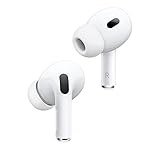
Apple AirPods Pro 2
Best for iPhone users with great ANC and transparency
Price: $200-250
$233.00
Samsung Galaxy Buds2 Pro
Best for Android with 360 Audio support
Price: $150-200

$398.00