Projector Test Patterns
Test focus sharpness, keystone alignment, color accuracy, and screen uniformity. Click any test to go fullscreen.
Tip: Connect your laptop/device to the projector, then click a test pattern to view it fullscreen. Press ESC to exit.
Focus & Sharpness Test
Fine lines and text to check focus across the entire screen. Corners should be as sharp as center.
Keystone & Geometry
Grid pattern to check for trapezoid distortion and ensure straight lines remain straight.
Color Accuracy Test
Primary and secondary colors to check color wheel accuracy and saturation.
Brightness Uniformity
Solid white screen to check for hotspots, dim corners, or uneven brightness.
Contrast & Black Level
Grayscale gradient and black levels to test contrast ratio and shadow detail.
Pixel Sharpness
Checkerboard pattern to verify pixel-level sharpness and detect scaling issues.
How to Test a Projector
Setup
- Connect your device to the projector via HDMI
- Set output resolution to match projector's native resolution
- Darken the room for best results
- Position projector at proper throw distance
What to Look For
- Focus: All corners should be equally sharp
- Keystone: Rectangle should be perfectly rectangular
- Color: No tint or color shift
- Uniformity: No bright spots or dim areas
Good Signs
- + Sharp focus across entire screen
- + Straight lines with no bowing
- + Accurate, vibrant colors
- + Even brightness edge-to-edge
- + Deep blacks in dark room
Red Flags
- - Soft corners that won't focus
- - Keystone won't fully correct
- - Color wheel rainbow effect (DLP)
- - Visible hotspot in center
- - Dead pixels or dust blobs
Affiliate Disclosure: We may earn a commission from purchases at no extra cost to you.
Recommended Projectors
Epson Home Cinema 2350
Excellent color accuracy with 3LCD technology, no rainbow effect
Price: $800-1000
$1,710.00
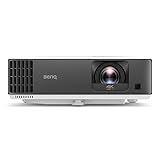
BenQ TK700STi 4K Gaming
Short throw 4K with low input lag for gaming
Price: $1200-1500
$1,710.00
