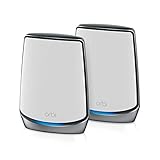
Wireless Router Performance Test
Evaluate router speed, range, and features with our comprehensive testing guide.
Speed Test Recording
Record speed test results from different locations. Use fast.com or speedtest.net.
| Location | Download (Mbps) | Upload (Mbps) | Ping (ms) |
|---|---|---|---|
| Same room as router | |||
| One room away | |||
| Opposite end of home | |||
| Outside/garage |
Device Connection Capacity
Test how the router handles multiple simultaneous connections.
WiFi Band Performance
Compare 2.4GHz vs 5GHz (and 6GHz if WiFi 6E).
2.4 GHz
Better range, slower speeds
5 GHz
Faster speeds, shorter range
6 GHz (WiFi 6E)
Fastest, least congestion
Complete Evaluation Checklist
Setup & Interface
Security Features
Advanced Features
Physical & Build
Complete Guide to Testing Wireless Routers
Why Router Testing Is Important
Wireless routers are the backbone of home networking, and their performance directly impacts every connected device. Used routers may have degraded WiFi radios, outdated firmware with security vulnerabilities, or hardware approaching end of life. Our comprehensive testing protocol helps verify a used router meets your performance needs before purchase.
Router technology evolves rapidly, with each new WiFi standard offering significant improvements. However, the latest flagship router may be unnecessary for your needs. Testing actual performance helps you find the right balance between features, performance, and value in the used market.
Understanding WiFi Standards
WiFi standards determine maximum theoretical speeds and features. WiFi 5, also known as 802.11ac, offers maximum speeds around one gigabit per second on the five gigahertz band. WiFi 6, or 802.11ax, improves performance in congested environments and adds features like OFDMA for more efficient device communication. WiFi 6E extends WiFi 6 to the six gigahertz band for even more capacity.
Actual speeds depend heavily on your internet plan, device capabilities, distance from router, and interference. A used WiFi 5 router often provides excellent real-world performance for most homes, especially if your internet plan doesn't exceed several hundred megabits per second. Higher-tier routers may be overkill for basic internet use.
Our speed recording table helps document actual performance across different bands and distances. Record speeds at multiple locations in your home to understand real-world coverage. Compare results to both the router's specifications and your internet plan's speeds.
Band Performance Testing
The two point four gigahertz band offers better range and wall penetration but slower speeds and more interference from other devices. The five gigahertz band provides faster speeds but shorter range. WiFi 6E adds the six gigahertz band with even faster speeds but even shorter range. Understanding these trade-offs helps you evaluate router performance.
Test both bands separately by connecting to each network and running speed tests. Compare band performance at various distances. The two point four gigahertz band should maintain usable speeds throughout your home. The five gigahertz band may drop off faster with distance but should be significantly faster when close to the router.
Coverage and Range Evaluation
Router range depends on transmit power, antenna design, and your home's construction. Test coverage by walking through your home with a connected device, noting signal strength and speeds in each room. Use WiFi analyzer apps on smartphones to visualize signal strength patterns.
Note any dead zones where signal drops significantly. Some dead zones are normal and may require mesh systems or access points to address. However, dramatically limited range compared to similar routers suggests potential hardware issues.
Security and Firmware Considerations
Router security is critical as the device sits between your network and the internet. Check for available firmware updates and whether the manufacturer still provides security patches. Routers typically receive updates for three to five years after release. Purchasing a router past its support window exposes you to unpatched security vulnerabilities.
Verify security features including WPA3 support, guest network capability, and firewall options. Used routers should be factory reset before use to remove previous owner's configurations. Change default passwords immediately and disable any features you don't need like remote management.
Frequently Asked Questions
How long do routers typically last?
Router hardware typically lasts five to ten years, but security support usually ends after three to five years. Performance may feel slower as more devices connect. Consider replacing routers that no longer receive security updates.
Is WiFi 6 necessary?
WiFi 6 benefits homes with many devices and those needing maximum speeds. For basic internet use with a few devices, WiFi 5 remains adequate. WiFi 6 improves efficiency in congested environments and offers better battery life for compatible devices.
Should I get a mesh system?
Mesh systems excel in larger homes or those with challenging layouts where single routers can't provide adequate coverage. For smaller homes or apartments, a single quality router often suffices. Mesh systems cost more but provide more consistent coverage across large areas.
Why does my WiFi speed not match my internet plan?
Wireless speeds are always lower than wired due to protocol overhead and environmental factors. Distance from router, interference, and device capabilities all reduce wireless speeds. Test with an ethernet connection to verify you receive full plan speed.
Affiliate Disclosure: We may earn a commission from purchases at no extra cost to you.
Recommended Routers
ASUS RT-AX86U Pro
WiFi 6 gaming router with excellent range and features
Price: $250-300

$229.99