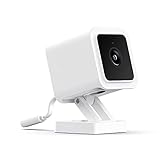
Home Security Camera Test
Comprehensive testing for home security cameras including night vision, motion detection, and cloud features.
Video Quality Assessment
Evaluate video quality in different lighting conditions.
Daytime / Bright Light
Night Vision / Low Light
Motion Detection Test
Test motion detection sensitivity and zone configuration.
Test Procedure:
- Walk through camera's field of view
- Note how quickly notification arrives
- Test at different distances from camera
- Try at edge of frame vs center
- Test pet/vehicle detection if available
Notification Speed
Detection Accuracy
False Alerts
Two-Way Audio Test
Test the speaker and microphone quality.
Microphone (Camera → Phone)
Speaker (Phone → Camera)
Storage & Cloud Features
Verify recording and playback functionality.
Local Storage (SD Card)
Cloud Storage
Complete Evaluation Checklist
Setup & Connectivity
App Experience
Physical Installation
Privacy & Security
Complete Guide to Testing Home Security Cameras
Why Security Camera Testing Matters
Security cameras protect your home and family, making reliability critical. A camera that fails to record during an incident or provides unusable footage defeats its purpose entirely. Used security cameras may have degraded image sensors, connectivity issues, or incompatible cloud service requirements. Our testing protocol helps verify a used camera will provide the protection you need.
The used security camera market offers good value, especially for premium brands. However, some cameras require ongoing subscriptions for full functionality, and these subscriptions don't transfer with ownership. Understanding total ownership costs including any required subscriptions helps you evaluate true value when comparing used versus new options.
Day and Night Video Quality
Daytime video quality determines whether you can identify people, read license plates, and see important details. Resolution matters, but factors like sensor quality, lens sharpness, and compression significantly affect usable detail. Test by recording and reviewing footage rather than relying solely on live preview.
Night vision quality often varies more dramatically between cameras than daytime performance. Infrared night vision illuminates the scene with invisible infrared light. Check for adequate illumination across the field of view without hot spots or dark corners. Some cameras offer color night vision using ambient light.
Motion Detection Reliability
Motion detection triggers recording and notifications, making accuracy essential. False alarms from moving shadows, swaying branches, or passing vehicles waste storage and cause notification fatigue. Missed detections of actual people or events defeat the camera's purpose.
Test motion detection sensitivity by walking through the detection zone at various speeds and distances. The camera should detect normal walking pace across its field of view. Verify detection at the edges of the frame, not just the center. Some cameras offer person detection using AI to reduce false alarms.
Storage and Recording Options
Security cameras store footage locally on SD cards, in network video recorders, or in cloud services. Each approach has trade-offs. Local storage avoids subscription fees but can be stolen or destroyed along with the camera. Cloud storage preserves footage off-site but typically requires ongoing subscriptions.
Verify the camera's storage options match your preferences. Test SD card recording if supported, including proper loop recording that overwrites old footage when full. Cloud storage should upload reliably and provide expected retention periods.
Connectivity and Reliability
WiFi cameras must maintain stable connections for reliable operation. Test signal strength at the installation location. Cameras that frequently disconnect miss events and require constant attention. Wired ethernet connections offer more reliability where cabling is practical.
Test app connectivity by accessing the camera from outside your home network. Remote viewing should work reliably without excessive delay. Push notifications should arrive promptly when motion is detected.
Frequently Asked Questions
Do I need to pay for cloud storage?
Many cameras offer basic cloud storage free with limited history or features. Extended history, advanced features like person detection, and continuous recording typically require subscriptions. Some cameras support local storage as a free alternative.
Can security cameras be hacked?
Any internet-connected device has potential vulnerabilities. Choose cameras from reputable manufacturers with good security practices. Keep firmware updated, use strong unique passwords, and enable two-factor authentication where available.
How many cameras do I need?
Coverage needs vary by property. At minimum, cover main entry points including front door and garage. Additional cameras for back doors, driveways, and backyards add coverage. Wide-angle cameras reduce the number needed.
Should I choose battery or wired power?
Battery cameras offer flexible placement but need regular recharging. Wired cameras provide continuous operation but require outlet access or professional installation. Consider maintenance preferences and installation constraints when choosing.
Affiliate Disclosure: We may earn a commission from purchases at no extra cost to you.