Smart Home Compatibility Checker
Verify device compatibility with your ecosystem before buying.
Your Smart Home Ecosystem
Device Protocol Check
Select your ecosystem and device protocols to check compatibility
Device Testing Checklist
Connectivity
Functionality
Physical
Account
Complete Guide to Smart Home Device Testing
Why Compatibility Testing Matters
Smart home devices don't exist in isolation. They need to work within your chosen ecosystem, communicate reliably over your network, and integrate with your existing devices. A smart bulb that works perfectly with Google Home might have limited functionality with Apple HomeKit. Before purchasing any smart device, especially used ones, verifying compatibility with your specific setup can save hours of frustration and potential returns.
The smart home landscape includes multiple competing ecosystems and communication protocols. Understanding these differences helps you make informed purchasing decisions and ensures your devices will work together seamlessly. Our compatibility checker above helps you quickly assess whether a device's protocols align with your ecosystem requirements.
Understanding Smart Home Ecosystems
Amazon Alexa dominates the voice assistant market with broad device compatibility. Most WiFi-based smart devices support Alexa, and the Echo lineup includes models with built-in Zigbee hubs for direct local control. Alexa's strength lies in its extensive skill library and wide third-party support. However, automation capabilities are more limited compared to dedicated smart home platforms.
Google Home offers excellent integration with Google services and Android devices. The Google Home app provides intuitive room-based organization and routines. Like Alexa, most WiFi devices support Google Home. Google's Nest products work seamlessly within the ecosystem, and the platform excels at natural language understanding for voice commands.
Apple HomeKit prioritizes privacy and security, requiring devices to meet strict certification standards. This means fewer compatible devices but generally more reliable operation. HomeKit works best for Apple users, offering Siri control and seamless integration with iPhone, iPad, and Mac. The Home app provides sophisticated automation capabilities, and HomeKit Secure Video offers local processing for compatible cameras.
Samsung SmartThings serves as a versatile hub supporting multiple protocols including Zigbee, Z-Wave, and WiFi. It works with both Alexa and Google Assistant, making it an excellent choice for users who want flexibility. SmartThings offers powerful automation through its app and web interface, though the learning curve is steeper than single-ecosystem solutions.
Communication Protocols Explained
WiFi devices connect directly to your router and typically offer the easiest setup. However, they consume more power than other protocols, making them unsuitable for battery-powered devices. WiFi devices also add to network congestion, so homes with many smart devices may experience slower overall network performance. Each WiFi device communicates independently with cloud servers, which can create latency and reliability concerns if your internet connection is unstable.
Zigbee is a low-power mesh networking protocol designed for smart home devices. Zigbee devices require a compatible hub but offer several advantages. They use minimal power, enabling battery-operated sensors and switches. The mesh network means devices relay signals to each other, extending range and improving reliability. Zigbee operates on the two point four gigahertz band and can be affected by WiFi interference, though proper channel selection minimizes this issue.
Z-Wave operates on sub-gigahertz frequencies, avoiding WiFi interference entirely. Like Zigbee, it uses mesh networking for extended range. Z-Wave devices require certification, ensuring interoperability between manufacturers. The protocol is popular for security systems, door locks, and professional installations. Z-Wave Plus improved range and battery life over the original specification.
Matter is the newest protocol, developed by major tech companies to solve fragmentation issues. Matter devices work across Alexa, Google Home, HomeKit, and SmartThings without requiring separate integrations. The protocol uses Thread for low-power mesh networking or WiFi for higher-bandwidth devices. As Matter adoption grows, it promises to simplify smart home compatibility significantly. New devices increasingly support Matter, and some existing devices receive firmware updates adding Matter support.
Testing Used Smart Home Devices
Used smart home devices present unique challenges. Previous owners may not have properly factory reset devices, leaving them linked to old accounts. Some devices, particularly security cameras and smart locks, may be permanently locked to original accounts for security reasons. Always verify you can complete the full setup process before purchasing.
Check firmware versions and ensure devices can receive updates. Older devices may lose cloud support, rendering them partially or completely non-functional. Research the manufacturer's track record for long-term support. Some companies have discontinued cloud services for older products, turning functional hardware into expensive paperweights.
Test all physical aspects including buttons, indicator lights, and mounting hardware. Smart switches and outlets should be tested with actual loads. Sensors should trigger reliably, and cameras should produce clear images. Battery-powered devices should hold charge appropriately, and you should factor in battery replacement costs for devices with non-replaceable batteries approaching end of life.
Network and Connectivity Verification
Smart devices should connect to your network within a few minutes during setup. Extended pairing times or repeated failures indicate potential problems. Once connected, test response times by triggering the device from the app. Acceptable response time varies by device type, but most should respond within one to three seconds. Delays longer than five seconds significantly impact usability.
Verify reliability by testing devices multiple times over several hours. Some devices connect initially but drop connection frequently. Check signal strength if devices are located far from your router or hub. Mesh networking protocols like Zigbee and Z-Wave improve with more devices, as each acts as a repeater. WiFi devices may need range extenders or mesh router systems for distant locations.
Automation and Integration Testing
Beyond basic functionality, test automation capabilities. Create simple routines or scenes and verify they execute correctly. Test integration with voice assistants by issuing various commands. Complex automations involving multiple devices should trigger reliably without manual intervention. Scheduled actions should execute at the correct times, accounting for time zone settings.
If using multiple ecosystems, verify cross-platform functionality. Some devices expose different features to different platforms. A light bulb might support color temperature adjustment in one app but not another. Understanding these limitations before purchase helps set appropriate expectations.
Frequently Asked Questions
Which smart home ecosystem is best?
The best ecosystem depends on your existing devices and preferences. Apple users benefit most from HomeKit. Android users typically prefer Google Home. Alexa offers the widest device compatibility. SmartThings provides the most flexibility for power users willing to invest time in setup.
Do I need a smart home hub?
WiFi devices work without a hub but add network congestion. Zigbee and Z-Wave devices require compatible hubs. The Amazon Echo fourth generation and newer include Zigbee hubs. SmartThings hubs support both Zigbee and Z-Wave. Thread-based Matter devices work with Border Routers built into recent Apple TV, HomePod, and Nest devices.
Will my smart devices work if the internet goes down?
It depends on the protocol and platform. Local protocols like Zigbee and Z-Wave continue working for local control during outages. WiFi devices relying on cloud services typically stop responding. Matter devices prioritize local control when possible. Physical switches and buttons on devices usually continue working regardless of connectivity.
How do I factory reset a smart device?
Reset procedures vary by manufacturer and device type. Common methods include holding a button for ten to twenty seconds, power cycling in specific patterns, or using the manufacturer's app. Check the device manual or manufacturer website for specific instructions. Some devices require removal from the previous owner's account before they can be reset.
What is Matter and should I wait for it?
Matter is a new smart home standard ensuring devices work across all major ecosystems. If you're building a new system, prioritizing Matter-compatible devices provides future flexibility. However, many excellent devices without Matter support remain available. Existing setups don't need immediate replacement, and some devices receive Matter support through firmware updates.
Affiliate Disclosure: We may earn a commission from purchases at no extra cost to you.
Recommended Smart Home Devices
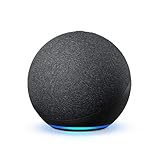
Amazon Echo (4th Gen)
Great hub for Alexa ecosystem with Zigbee built-in
Price: $80-100