Best TV for Gaming 2026: PS5, Xbox & PC Compared
We compared input lag, VRR performance, and 4K/120Hz across every major TV using professional review measurements and verified owner reviews. Here are our picks for every budget.

Our Gaming TV Picks
Best Gaming TVs 2026
LG C4 OLED
65" | 4K 144Hz | 4x HDMI 2.1 | VRR/ALLM
Under $1,500
65-inch
The LG C4 remains the gold standard for gaming TVs. Four full-bandwidth HDMI 2.1 ports, ~9ms input lag, VRR across all inputs, and Dolby Vision Gaming support. OLED's instant pixel response means zero motion blur in fast-paced games.
9ms
Input Lag
144Hz
Refresh Rate
4
HDMI 2.1
Yes
Dolby Vision
under $1,500 on Amazon
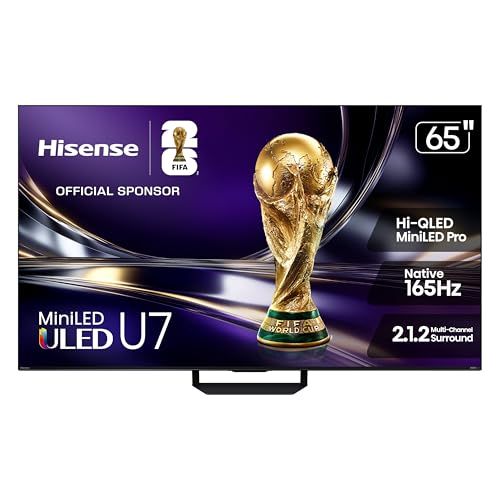
Hisense U7 Mini-LED
65" | 4K 165Hz | HDMI 2.1 | VRR
Under $1,000
65-inch
Incredible value for gaming. The U7 (the value gaming successor to the U8N) offers a 165Hz native panel, excellent HDR brightness, VRR up to 330, and solid local dimming. Low input lag for the price makes it the best bright-room gaming TV under $1,000.
12ms
Input Lag
144Hz
Refresh Rate
2
HDMI 2.1
Yes
Dolby Vision
under $1,000 on Amazon
Samsung S95D QD-OLED
65" | 4K 144Hz | HDMI 2.1 | FreeSync Premium
Under $2,000
65-inch
For competitive gaming where milliseconds matter, the S95D is unmatched. Near-instant ~0.1ms response time means zero motion blur. Input lag of ~8ms is among the lowest published for any TV. QD-OLED colors are vibrant and HDR is excellent.
8ms
Input Lag
144Hz
Refresh Rate
4
HDMI 2.1
No
Dolby Vision

under $2,000 on Amazon
Samsung QN70H Neo QLED 85"
85" | 4K 144Hz | HDMI 2.1 | Anti-Glare
Under $3,000
85-inch
For massive screen gaming in bright rooms, the QN70H 85" delivers. ~2,500 nits peak brightness, excellent anti-glare coating, and ~10ms input lag. Mini-LED backlight provides good local dimming for HDR gaming. No burn-in concerns.
10ms
Input Lag
144Hz
Refresh Rate
4
HDMI 2.1
No
Dolby Vision

under $1,500 on Amazon
Sony BRAVIA 8 II QD-OLED
65" | 4K 120Hz | HDMI 2.1 | Perfect for PS5
Under $3,000
65-inch
Sony's flagship QD-OLED (the BRAVIA 8 II, successor to the A95L) offers exceptional picture processing and the best PS5 integration with Perfect for PlayStation features. Input lag of ~10ms, excellent HDR tone mapping, and superb motion handling make it ideal for cinematic gaming experiences.
10ms
Input Lag
120Hz
Refresh Rate
2
HDMI 2.1
Yes
Dolby Vision

under $3,000 on Amazon
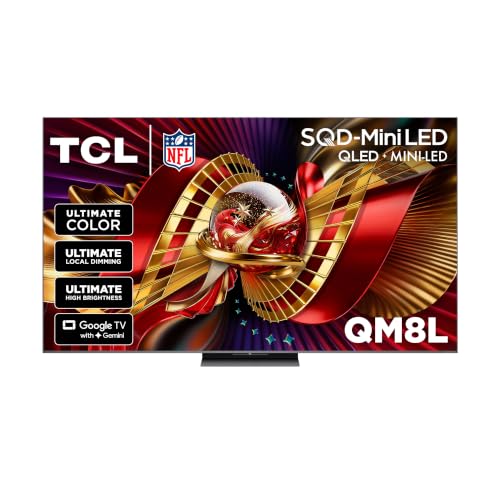
TCL QM8L Mini-LED
65" | 4K 144Hz | HDMI 2.1 | Google TV
Under $1,500
65-inch
Exceptional value with premium features. The TCL QM8L (the current update to the QM8) delivers 144Hz gaming, solid HDR performance with Mini-LED backlighting, and responsive game mode. At under $1,000 for 65", it's the best entry point for next-gen console gaming.
11ms
Input Lag
120Hz
Refresh Rate
2
HDMI 2.1
Yes
Dolby Vision
under $1,500 on Amazon
Gaming Features Explained
Input Lag
Time between controller input and screen response. Under 15ms is excellent for gaming. All our picks achieve 8-12ms.
VRR (Variable Refresh Rate)
Syncs TV refresh to game frame rate, eliminating screen tearing. Requires HDMI 2.1. Essential for 40-120 FPS games.
HDMI 2.1
Required for 4K/120Hz, VRR, and ALLM. PS5 and Xbox Series X fully utilize HDMI 2.1. PC gamers need it for 4K high refresh.
ALLM (Auto Low Latency Mode)
TV automatically switches to game mode when gaming detected. No more manually changing settings for each console.
Gaming TV FAQ
Is OLED or QLED better for gaming?
Do I need 4K/120Hz for PS5 and Xbox?
Will gaming cause OLED burn-in?
Related Guides
Deciding on a specific model? We review the Sony BRAVIA 9 65-inch Mini LED review in full.