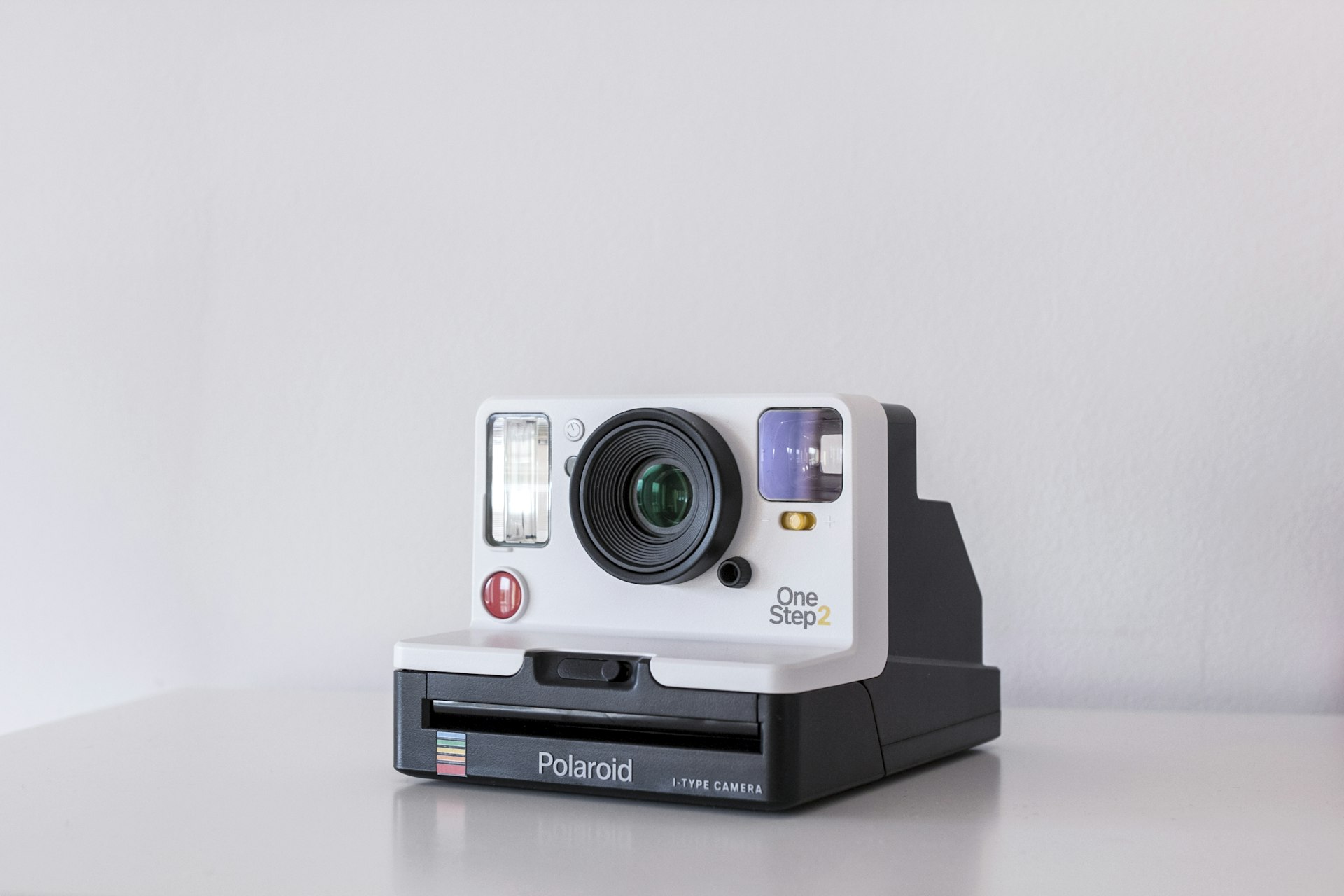
Introduction: Capturing Adventure
Action cameras have become essential gear for adventurers, athletes, content creators, and everyday videographers. These compact, rugged devices capture stunning footage in conditions where traditional cameras fear to tread. From GoPro's market-defining Hero line to DJI's innovative Action series and Insta360's 360-degree marvels, the used market offers significant savings on premium action cameras.
Recommended Products
Based on our research, here are some top picks:
GoPro HERO12 Black -

under $500 on Amazon
WYZE Cam v3 -

under $50 on Amazon
DJI Osmo Pocket 3 -
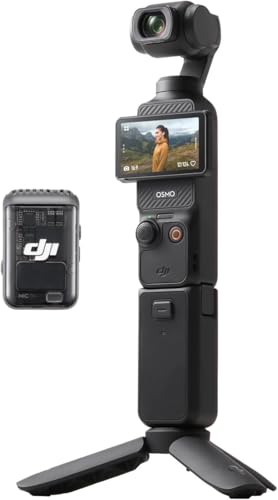
under $750 on Amazon
As an Amazon Associate, we earn from qualifying purchases.
However, action cameras live hard lives. They're mounted on helmets, handlebars, and surfboards. They're dunked in water, dropped on rocks, and subjected to extreme temperatures. A camera that looks fine might have compromised waterproofing, degraded stabilization, or a scratched lens that only shows up in footage.
This guide covers everything from lens inspection to waterproof seal testing. You'll learn to evaluate video quality, test stabilization performance, and verify that critical protective features still work. Whether you're buying a Hero 12 or a budget alternative, these testing procedures will help you buy with confidence.
Essential Tools for Testing
Must-Have Items
- •Smartphone with manufacturer's app
- •MicroSD card (V30 or faster)
- •Laptop for footage review
- •Flashlight for lens inspection
- •USB-C cable for charging/transfer
- •Bowl of water for seal testing
Nice-to-Have Items
- •GoPro mounting accessories for testing
- •USB power meter for charging test
- •External microphone (if applicable)
- •Selfie stick for stabilization testing
- •Protective housing (for water testing)
Visual Inspection
Action cameras take abuse. A thorough visual inspection reveals their history.
Body Condition
Examine the entire body for cracks, deep scratches, or dents. Minor scuffs are normal; structural damage is concerning. Check mounting points and finger grooves for excessive wear. Look for evidence of impacts—damaged corners suggest drops that may have affected internal components.
Door and Seal Inspection
Open all doors (battery, SD card, USB port) and examine the rubber seals. These seals are critical for waterproofing. They should be soft, pliable, and free of tears or compression damage. Hardened or damaged seals mean water will get in.
Warning Signs:
Any evidence of water intrusion—corrosion, water spots inside the lens cover, or foggy screens—means the camera has been compromised. Even if it works now, internal damage may cause future failures.
Screen Condition
Check touchscreens for cracks, dead pixels, or unresponsive areas. Test touch response across the entire screen. Front screens (if equipped) should also be inspected. Screen replacement on action cameras is often expensive and may not be available.
Button Function
Test every button—power, record, mode select. They should click positively without sticking. Worn buttons often indicate heavy use. On waterproof cameras, buttons must maintain their feel without becoming mushy.
Lens Testing
The lens determines image quality. Even minor damage shows up in footage.
Lens Cover Inspection
Use a flashlight at an angle to examine the lens cover for scratches. Light scratches may not affect footage significantly; deep scratches cause visible artifacts, especially with sun in frame. Many cameras have replaceable lens covers—verify availability if damaged.
Internal Lens Check
Look inside the lens for dust, debris, or moisture. Small dust particles are normal; large debris or water droplets indicate seal failure. Fungus growth (looks like web patterns) is a serious issue requiring professional cleaning.
Lens Coating
Quality action cameras have hydrophobic and anti-reflective coatings. Excessive cleaning can wear these away. Check for rainbow patterns or smearing when clean—signs of damaged coatings that will cause flare and reduced contrast.
Video Quality Testing
Record test footage in all major modes to verify performance.
Resolution Testing
Record in the highest resolution (4K/5.3K) and highest frame rate advertised. Transfer to your laptop and examine at 100% zoom. Edges should be sharp, colors accurate, and no visible compression artifacts in detailed areas.
Key Video Modes to Test:
- • Maximum resolution at 30fps
- • 4K at 60fps (if supported)
- • High frame rate slow motion (120/240fps)
- • Low-light indoor footage
- • High contrast outdoor scenes
Sensor Health
Record video pointing at a uniform surface (white wall, blue sky). Look for dead or hot pixels—they appear as constant bright or dark spots. A few at the edges may be acceptable; clusters or central dead pixels are dealbreakers.
Color Accuracy
Compare footage to your phone's camera in the same conditions. Colors should look natural without heavy color casts. Older sensors can develop color drift; extreme cases show magenta or green tinting.
Heat Management
Record at maximum resolution for 15-20 minutes. The camera should get warm but not shut down. Overheating shutdowns indicate worn thermal paste or heavy prior use. Note how warm it gets—excessive heat shortens component life.
Stabilization Testing
Modern action cameras rely heavily on electronic stabilization. Test this critical feature thoroughly.
Walking Test
Record while walking normally, then while walking vigorously. Stabilization should eliminate most vertical bobbing. Compare results against YouTube reviews of the same model—you should see similar smoothness.
Horizon Lock
If the camera has horizon leveling, test by rotating the camera while recording. The horizon should stay level regardless of camera orientation. Full 360° rotation should work on cameras that advertise this feature.
HyperSmooth/RockSteady Testing
Enable maximum stabilization modes and test with aggressive movement—running, biking, or hand-held shaking. Premium stabilization systems should produce remarkably smooth footage. Jittery results suggest sensor or processing issues.
Stabilization Note:
Stabilization quality can degrade over time. If footage seems less smooth than reviews suggest, the gyroscope or accelerometer may be failing. These components aren't user-replaceable.
Audio Testing
Audio quality often gets overlooked but is crucial for usable footage.
Built-in Microphone
Record in quiet and noisy environments. Audio should be clear without excessive hiss or distortion. Test wind performance—many cameras have wind noise reduction that should help in breezy conditions.
External Microphone
If the camera supports external mics (via adapter or direct), test this connection. Bring an external mic if you plan to use one. Some cameras have known compatibility issues with certain microphones.
Water Microphone Ports
Many cameras have water-resistant microphone membranes. If these are damaged, audio will be muffled or distorted. Test by speaking directly at the camera and playing back—voice should be clear, not muffled.
Waterproofing Testing
Waterproofing is a primary feature of action cameras but degrades with use.
Seal Visual Check
Before any water testing, examine all rubber seals carefully. Look for cuts, compression sets (permanent indentations), or hardening. Seals should be supple and return to shape when pressed. Damaged seals need replacement before water use.
Shallow Water Test
With seller permission and at your own risk, briefly submerge the camera in a bowl of water. Watch for bubbles escaping—this indicates seal failure. Remove immediately if bubbles appear. Dry thoroughly before opening any doors.
Water Test Warning:
Water testing carries risk. If seals are compromised, you may damage the camera beyond repair. Consider whether this test is worth the risk for your specific purchase. Using a protective housing eliminates camera seal concerns.
Waterproof Rating
Know the camera's rated depth without housing—typically 10-16 meters for modern cameras. If used heavily underwater, seals may have degraded faster. Ask about underwater usage history.
Battery Testing
Action camera batteries are small and degrade relatively quickly with heavy use.
Charge Level Test
Fully charge the battery before testing. Record at maximum resolution until the battery dies. Compare runtime against manufacturer specifications. Batteries at 50% health will show roughly half the expected runtime.
Typical Battery Life (4K recording):
- • GoPro Hero 12: 70-90 minutes
- • DJI Action 4: 60-80 minutes
- • Insta360 X3: 60-80 minutes
- • Budget cameras: 45-60 minutes
Battery Condition
Inspect the battery for swelling, damage, or corrosion on contacts. Swollen batteries are dangerous and must be replaced immediately. Ask about battery age—lithium batteries typically last 2-3 years before significant degradation.
Multiple Batteries
If multiple batteries are included, test each one. Battery health can vary significantly. Third-party batteries are common but may provide less capacity than genuine batteries.
Connectivity Testing
Modern action cameras rely on wireless connectivity for control and transfer.
WiFi Connection
Pair the camera with the manufacturer's smartphone app. The connection should be stable and responsive. Test live preview—it should work smoothly without constant disconnection or lag.
Bluetooth Connectivity
Bluetooth is used for quick pairing and low-power connection. Test the connection from reasonable range (30+ feet). Weak Bluetooth may indicate antenna damage.
USB Transfer
Connect via USB and transfer files. Transfer speed should be reasonable for USB 2.0/3.0 depending on the camera model. The camera should be recognized as a mass storage device without driver issues.
Firmware Check
Update to the latest firmware if possible. Current firmware indicates an active product; outdated firmware may lack features or have known bugs. Some used cameras may be abandoned models without future updates.
Accessories Evaluation
Action camera accessories add significant value to a used purchase.
Included Accessories
Common valuable accessories include waterproof housing, extra batteries, mounting gear, protective frames, and cases. Calculate replacement costs for missing items—mounting kits alone can cost $50-100 new.
Housing Condition
Waterproof housings should have clear, unscratched lens ports and intact seals. Test that buttons operate correctly through the housing. Damaged housing may not maintain waterproof rating.
Mounting Compatibility
Most action cameras use standard GoPro-style mounts. Verify included mounts are compatible with your intended use. Proprietary mounting systems (some DJI, Insta360) may limit third-party accessory options.
Quick Testing Checklist
Use this interactive checklist during your inspection:
Used Action Camera Pricing Guide
Action cameras depreciate quickly as new models release. Use these ranges for good-condition units:
| Model | Fair Used Price | Key Features |
|---|---|---|
| GoPro Hero 10 | $150-220 | 5.3K, GP2 chip, HyperSmooth 4.0 |
| GoPro Hero 11 | $200-300 | 5.3K 60fps, 10-bit, larger sensor |
| GoPro Hero 12 | Under $500 | HDR, HyperSmooth 6.0, Bluetooth audio |
| DJI Action 3 | $150-220 | 4K 120fps, magnetic mount, dual screens |
| DJI Action 4 | $250-350 | 4K 120fps, 1/1.3" sensor, 18m waterproof |
| Insta360 X3 | Under $500 | 360° 5.7K, invisible selfie stick |
| Insta360 Ace Pro | Under $500 | 8K, Leica lens, AI features |
Negotiation Factors
- •Scratched lens: Deduct $30-50 (if replaceable)
- •Worn battery: Deduct $30-60
- •Missing accessories: Deduct replacement cost
- •Damaged seals: Major concern—negotiate heavily
- •Stabilization issues: Walk away (not fixable)
- •Extra accessories bundle: Adds under $250 value
Final Verdict: Should You Buy?
Buy It If:
- • Seals intact and pliable
- • Lens clear without damage
- • Video quality matches specs
- • Stabilization works well
- • Battery holds charge
Negotiate If:
- • Minor cosmetic wear
- • Replaceable lens scratched
- • Battery degraded
- • Missing accessories
- • Older model
Walk Away If:
- • Water damage evidence
- • Degraded stabilization
- • Damaged seals
- • Dead pixels in sensor
- • Overheating issues
Expert Tip: Waterproofing Matters Most
The defining feature of action cameras is their rugged, waterproof construction. Even if you don't plan to use the camera underwater, compromised seals indicate a camera that's been stressed to its limits. Moisture can enter through failed seals and cause internal corrosion that worsens over time. When evaluating used action cameras, prioritize seal condition over cosmetic wear—a scratched but waterproof camera beats a pristine-looking one with suspect seals.