
Introduction
Professional and enthusiast cameras represent significant investments, with bodies alone costing $1,000 to $6,000+ new. The used camera market offers tremendous value, with previous-generation professional bodies often available at 40-60% off original prices. However, cameras are precision instruments that require careful evaluation.
Recommended Products
Based on our research, here are some top picks:

under $500 on Amazon
WYZE Cam v3 with Color Night Vision -
under $100 on Amazon
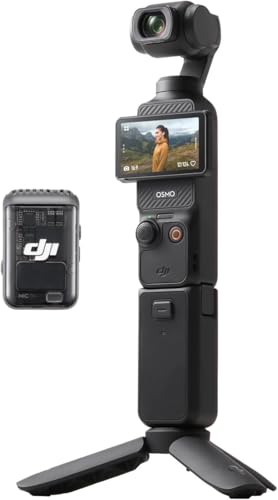
under $750 on Amazon
As an Amazon Associate, we earn from qualifying purchases.
Unlike consumer electronics with sealed components, cameras have mechanical shutters, replaceable lenses, and exposed sensors that can accumulate damage over time. A camera with high shutter count, sensor issues, or autofocus problems may cost more to repair than the purchase price savings justify.
This guide covers testing for both DSLR and mirrorless cameras from all major manufacturers including Canon, Sony, Nikon, Fujifilm, Panasonic, and others. Whether you're seeking an entry-level body for learning or a professional workhorse, thorough testing ensures you get a reliable tool for capturing images.
Pro Tip: Bring your own memory card, a fully charged battery if compatible, and a lens you trust. Testing with your own equipment eliminates variables and reveals camera-specific issues.
Shutter Count Verification
Shutter count is the most important metric for evaluating used cameras. Mechanical shutters have limited lifespans, and high counts indicate a camera approaching the end of its mechanical life.
Understanding Shutter Ratings
Manufacturers rate shutters for specific actuation counts. Entry-level cameras typically rate for 100,000-150,000 actuations. Professional bodies rate for 300,000-500,000 actuations. These are statistical ratings—some shutters fail earlier, while others exceed ratings significantly. Mirrorless cameras without mechanical shutters may use electronic shutters indefinitely.
How to Check Shutter Count
Most cameras embed shutter count in image EXIF data. Take a photo and upload to online shutter count checkers. Some brands (Sony, Pentax) display count directly in camera menus. Nikon requires special software or menu access. Canon often requires third-party software. Always verify the count before finalizing purchase.
Evaluating Shutter Count
A camera with 25% of its rated life remaining still has years of use for most photographers. Professional wedding or sports photographers may exceed 100,000 actuations per year. Casual photographers might take 5,000-10,000 photos annually. Match the remaining shutter life to your expected usage.
Shutter Replacement Consideration
Shutter replacements typically cost $200-$400 depending on the camera. Factor this cost into your evaluation of high-count cameras. A camera priced extremely low with very high count may still be worthwhile if you plan to replace the shutter. Get quotes from authorized service centers before purchasing high-count bodies.
Sensor Condition Inspection
The sensor is the heart of digital photography. Sensor damage is often expensive or impossible to repair, making careful inspection critical.
Dust and Debris Check
Photograph a plain white or light blue surface (sky, white paper) at f/16-f/22 with manual focus set to infinity. Examine the resulting image at 100% zoom for dark spots indicating dust. Some dust is normal and cleanable. Multiple large spots or persistent debris after cleaning may indicate internal issues.
Dead and Hot Pixels
Take a photo with the lens cap on at high ISO (3200+) with a long exposure (30 seconds). Examine the resulting image for bright colored dots—these are hot pixels. A few hot pixels are normal and can often be mapped out in camera. Clusters or many hot pixels indicate sensor degradation.
Sensor Scratches and Damage
With the lens removed, examine the sensor surface carefully using a bright light at an angle. Look for scratches, impact marks, or cleaning damage. Any physical sensor damage is extremely expensive to repair. Minor scratches may not affect images but indicate rough handling.
Oil/Lubricant Contamination
Some cameras develop oil spots on sensors from internal lubricants. These appear as slightly soft, transparent spots in images. Check for known issues with the specific camera model. Oil spots require professional cleaning and may recur.
Autofocus System Testing
Autofocus accuracy and speed directly impact photographic success. Testing the AF system reveals problems that significantly affect usability.
AF Accuracy Testing
Photograph a high-contrast target at a 45-degree angle using a tripod and wide aperture (f/1.8-f/2.8). Examine focus accuracy at 100% zoom. Take multiple shots to check consistency. Back-focusing or front-focusing issues may require microadjustment or repair.
All AF Points Testing
Test focus using different AF points across the frame. Edge and corner points often have accuracy issues on older bodies. Professional cameras maintain accuracy across more points. Dead AF points indicate sensor array problems.
Continuous AF Testing
Test subject tracking by photographing a moving subject in continuous AF mode. The camera should maintain focus on moving subjects. Poor tracking may indicate AF motor issues or firmware problems. Compare performance to reviews of the same model.
Eye AF and Advanced Features
On cameras with eye detection AF, test with a willing subject. Eye AF should reliably detect and track eyes. Test animal eye AF if available. Advanced AF features distinguish newer cameras and add significant value when working correctly.
Image Quality Assessment
Beyond sensor issues, overall image quality testing confirms the camera produces expected results across various conditions.
Exposure Accuracy
Test the camera's metering in various lighting conditions. Exposures should be accurate and consistent. Compare to a known-good camera or phone if available. Systematic over or underexposure suggests meter calibration issues.
High ISO Performance
Take test shots at various ISO settings from base to maximum. Evaluate noise levels and detail retention. Compare to sample images from the same model online. Excessive noise at moderate ISOs may indicate sensor issues.
White Balance Accuracy
Test auto white balance in different lighting conditions. Colors should appear natural without excessive color casts. Check that manual white balance presets work correctly. Consistent color cast may indicate sensor or processing issues.
RAW File Quality
If possible, shoot RAW files and examine in editing software. Check for banding in shadows and gradients. Verify full dynamic range is available. RAW files reveal sensor issues that JPEG processing might hide.
Viewfinder and LCD Testing
Viewfinders and LCDs are essential for composing and reviewing images. Testing these displays ensures accurate preview and comfortable use.
Optical Viewfinder (DSLR)
Look through the viewfinder at a bright scene. Check for dust, debris, or fungus in the viewfinder path. Verify the diopter adjustment works correctly. The viewfinder should be bright and clear. Dim viewfinders indicate mirror or prism issues.
Electronic Viewfinder (Mirrorless)
Check EVF for dead pixels, lag, and refresh rate. The display should be sharp and responsive. Test in bright and dark conditions. Verify eye sensor switches between EVF and LCD correctly. Compare EVF quality to reviews of the same model.
LCD Screen Testing
Inspect the LCD for scratches, cracks, or dead pixels. Display a white image to check uniformity. Test touchscreen functionality on touch-enabled models. Verify the articulating mechanism works smoothly on flip-out screens. Check that LCD brightness adjusts properly.
Screen Accuracy
Review test images on the camera LCD and on a calibrated monitor. The camera should provide reasonably accurate preview. Major color or exposure differences between LCD and actual files complicate shooting. Some variation is normal; extreme differences indicate calibration issues.
Physical Condition Assessment
Physical condition reveals how the camera was used and cared for. Professional-grade bodies withstand more abuse, but all cameras benefit from careful handling.
Body Inspection
Examine the camera body for dents, cracks, and deep scratches. Check corners and edges where impacts typically occur. Verify weather sealing gaskets are intact on weather-sealed bodies. Excessive wear suggests heavy professional use.
Lens Mount Inspection
Check the lens mount for scratches, bent pins, or misalignment. Mount lenses and verify they attach securely without wobbling. Test that electronic connections work properly. Bent mounts from drops cause focusing and communication issues.
Button and Dial Function
Test every button, dial, and switch on the camera. Controls should click positively and respond consistently. Check for sticky or unresponsive buttons from wear or debris. Verify mode dial, command dials, and joystick all function correctly.
Port and Card Slot Condition
Inspect USB, HDMI, and microphone/headphone ports for damage. Test memory card slots with your cards. Verify battery compartment closes securely. Check that port covers are present and seal properly on weather-sealed bodies.
Video Feature Testing
Modern cameras offer extensive video capabilities. If video is important to your work, thorough testing ensures the camera meets your needs.
Video Quality
Record test clips at maximum resolution and frame rates. Check for aliasing, moire, and rolling shutter artifacts. Evaluate autofocus smoothness during video. Compare quality to sample footage from the same model.
Overheating Test
Record continuously for 15-20 minutes at high quality settings. Note any overheating warnings or automatic shutdowns. Check the camera's reputation for overheating issues. Used cameras with heat damage may overheat more quickly.
Audio Recording
Test internal microphones for clear audio without excessive noise. Verify headphone monitoring if available. Check that external microphone inputs work correctly. Audio level controls should adjust smoothly.
IBIS (In-Body Stabilization)
If the camera has sensor-shift stabilization, test its effectiveness. Record handheld video and check for smooth footage. Compare stabilization performance to specifications. Damaged IBIS systems may produce irregular motion or noise.
Battery and Card System
Power and storage systems are essential for reliable operation. Testing these systems ensures dependable performance in the field.
Battery Health
Check the battery condition indicator if available (many cameras display this in menus). Test actual shooting time with included batteries. Compare to rated shot counts for the camera. Degraded batteries are replaceable but add cost.
Battery Grip Compatibility
If a battery grip is included, test all its functions. Verify additional controls work correctly. Check that grip batteries are recognized and drain evenly. Test grip attachment for secure fit.
Memory Card Performance
Test with fast memory cards matching the camera's specifications. Check buffer clearing time during burst shooting. Verify both card slots work on dual-slot cameras. Test backup and overflow modes.
Charging System
Test charging with included charger. Verify in-camera USB charging works if supported. Check that batteries charge fully without errors. Test multiple batteries if included.
Brand-Specific Testing Tips
Each camera manufacturer has unique characteristics and common issues. Knowing your brand helps focus testing efforts.
Canon Cameras
Check for the common Canon "Error 70" and "Error 80" issues in older models. Test Dual Pixel AF for smooth video focusing on supported models. Verify Canon Log or C-Log functionality if important. Check WiFi and Bluetooth connectivity through Canon Camera Connect app.
Sony Alpha Cameras
Sony cameras display shutter count in settings menu. Test Eye AF performance—a major Sony advantage. Check for overheating issues in older models (a]7S II, a7 III). Verify that third-party lens adapters work if needed. Test the infamous menu system for proper function.
Nikon Cameras
Use third-party software or specific menu access to check shutter count. Test for known oil spot issues on affected models. Verify SnapBridge connectivity if important. Check that lens compatibility matches your glass collection. Test expeed processor performance through burst shooting.
Fujifilm Cameras
Shutter count is available in camera settings. Test the signature Fuji film simulations. Check for weather seal integrity if applicable. Verify that the hybrid viewfinder works on X-Pro models. Test X-Trans sensor performance compared to Bayer sensors if relevant to your workflow.
Used Camera Pricing Guide
Camera values vary significantly based on condition, shutter count, and included accessories. Use these guidelines for body-only pricing.
| Camera Model | Excellent | Good | Fair |
|---|---|---|---|
| Sony a7 IV | Under $2,000 | Under $2,000 | Under $2,000 |
| Sony a7 III | $1,000-$1,200 | $800-$1,000 | $650-$800 |
| Canon R6 II | Under $2,000 | Under $2,000 | Under $2,000 |
| Canon R6 Mark III | $1,200-$1,450 | $1,000-$1,200 | $850-$1,000 |
| Nikon Z6 II | Under $2,000 | Under $2,000 | $800-$1,000 |
| Fujifilm X-T5 | Under $2,000 | Under $2,000 | $900-$1,100 |
| Canon 5D Mark IV | Under $2,000 | $900-$1,100 | $700-$900 |
Price-Affecting Factors
- Shutter count: High count (>50% rated) reduces value 15-30%
- Sensor issues: Scratches or excessive hot pixels reduce value 25-50%
- Cosmetic condition: Heavy wear reduces value 10-20%
- Included accessories: Extra batteries, grip add 5-15% value
- Original packaging: Box and accessories add 5-10% value
Shop Cameras
Compare prices on popular camera bodies:
Complete Testing Checklist
Use this interactive checklist during your inspection to ensure thorough evaluation.
Red Flags - When to Walk Away
Some issues make a used camera not worth purchasing. Watch for these warning signs.
Sensor Damage
Scratches, cracks, or major contamination on sensor
Extreme Shutter Count
Count exceeding rated lifespan without price adjustment
AF Failure
Autofocus doesn't work or consistently misses
Error Messages
Recurring error codes or system failures
Bent Lens Mount
Mount damage from drops or impacts
Water Damage
Corrosion, water marks, or erratic behavior
Shutter Problems
Shutter sticking, misfiring, or producing uneven exposures
Seller Won't Test
Refusal to allow shooting test images
Final Recommendations
Used cameras offer exceptional value, putting professional-grade equipment within reach of more photographers. The key is verifying shutter count, sensor condition, and autofocus performance before committing to purchase.
Bring your own memory card and battery if possible. Take test shots in various conditions and examine them at 100% on a computer before finalizing the purchase.
Consider buying from reputable dealers who offer return policies, especially for expensive bodies. The right used camera provides years of professional-quality image making at a fraction of new prices.
Deciding on a specific model? We review the Sony Alpha a7S III review and Canon EOS R6 Mark III review in full.