
How to Test a Used DSLR Camera Before Buying
Professional and enthusiast cameras from Canon, Nikon, Sony, and Fujifilm can cost $500-$6,000+ new. The used market offers significant savings of 40-60%, making quality cameras accessible to more photographers. However, cameras have mechanical components that wear over time—shutters fail, sensors develop issues, and autofocus systems degrade. This guide covers every test needed to evaluate a used DSLR or mirrorless camera.
Recommended Products
Based on our research, here are some top picks:
GoPro HERO12 Black -

under $500 on Amazon
WYZE Cam v3 -

under $50 on Amazon
DJI Osmo Pocket 3 -
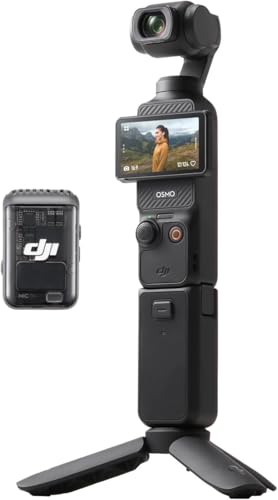
under $750 on Amazon
As an Amazon Associate, we earn from qualifying purchases.
Why This Testing Matters
Cameras are precision instruments with mechanical shutters rated for specific lifecycles, image sensors that can develop dead pixels or dust issues, and complex autofocus systems that must work perfectly. A camera that appears functional may have subtle issues—backfocusing, shutter problems, or sensor damage—that ruin photos. Thorough testing protects your investment and ensures reliable performance.
Shutter Count Assessment

The shutter count is a camera's odometer—it tells you how many photos have been taken. Shutters are mechanical components with finite lifespans, making this the most important metric for used camera evaluation.
How to Check Shutter Count
Take a photo with the camera and upload the image file to a shutter count checking website (like shuttercount.com or camerashuttercount.com). The shutter actuation count is stored in EXIF data. Some cameras display this in their menus. Canon cameras may require paid software to check. Nikon, Sony, and Pentax are generally easier to check for free.
Shutter Life Expectations
Entry-Level Cameras
50,000-100,000 actuations typical rating. Canon Rebel, Nikon D3xxx/D5xxx series. Budget for earlier replacement.
Enthusiast Cameras
100,000-150,000 actuations typical. Canon 80D/90D, Nikon D7xxx series. Good balance of life and price.
Professional Bodies
200,000-500,000 actuations. Canon 5D/1DX, Nikon D850/D6. Built for heavy use, excellent used value.
Mirrorless Cameras
Often electronic shutters with unlimited life, but mechanical shutters rated similarly to DSLRs when used.
Shutter Count Red Flags
Be cautious of cameras approaching or exceeding their rated shutter life. A camera at 80% of rated life is risky—shutter replacement costs $200-500+. Cameras from event/wedding photographers often have very high counts. Sports photographers may have lower counts but harder-used shutters.
Sensor Inspection
The image sensor is the heart of the camera. Dust, stuck pixels, or damage directly affects every photo you take. Sensor problems can range from easily cleaned dust to expensive replacement needs.
Dust and Debris Test
Set the camera to f/16-f/22, point at a plain white surface (white wall or sky), and take a photo. View at 100% zoom on a computer screen. Small dark spots indicate dust on the sensor. Minor dust is normal and cleanable. Heavy dust patterns, scratches, or oil spots are more serious. Mirrorless cameras with exposed sensors are more prone to dust accumulation.
Dead and Hot Pixel Test
With the lens cap on, take a long exposure (30 seconds) at high ISO. Dead pixels appear as black spots; hot pixels appear as bright colored spots. A few hot pixels at high ISO and long exposure is normal. Dead pixels visible in normal shooting conditions indicate sensor issues. Check the camera's pixel mapping feature if available—it can compensate for some pixel issues.
Sensor Physical Inspection
With the lens removed and mirror locked up (on DSLRs), visually inspect the sensor surface. Use a bright light at an angle to reveal scratches, oil spots, or damage. The sensor should appear clean and uniform. Visible scratches or coating damage affects every image. Oil spots (common on some Canon and Nikon models) require professional cleaning.
Body Condition Assessment

Physical condition reveals how the camera was used and cared for. Professional-grade bodies are built tougher but also see harder use. Cosmetic damage can indicate drops or abuse.
Exterior Inspection
Examine the body for dents, cracks, or deep scratches. Minor paint wear on edges is normal for used cameras. Check rubber grips for peeling or deterioration—common on older models but replaceable. Examine tripod mount threads for stripping. Look for sand or debris in crevices indicating beach/desert use. Body damage near lens mount suggests drops.
Button and Dial Function
Test every button and dial on the camera. Buttons should click positively without sticking. Dials should turn smoothly with distinct detents. Mode dials should lock securely in each position. Back wheel/joystick should respond accurately in all directions. Check the shutter release for proper half-press focus activation and full-press shutter release.
Mount Condition
The lens mount is a critical high-wear area. Check for brass showing through chrome plating (indicates heavy lens swapping). Mount should be perfectly circular without deformation. Electronic contacts should be clean and undamaged. Test lens attachment—it should click securely without wobbling. Loose mounts affect autofocus accuracy and image sharpness.
Autofocus Testing
Autofocus accuracy is critical for sharp photos. Both phase-detect (DSLR) and hybrid (mirrorless) systems can develop issues over time. Testing autofocus requires patience but reveals problems that ruin countless photos.
Focus Accuracy Test
Set up a focus target at a 45-degree angle (ruler, newspaper, or focus chart). Focus on a specific point using single-point AF. Take multiple shots at wide apertures (f/1.8-f/2.8 if lens allows). The point of focus should match your selected target. Consistent front-focus or back-focus indicates AF calibration issues. Many cameras have AF microadjustment to correct this.
AF Point Testing
Test multiple AF points, not just the center. Select points in corners and edges. All points should focus accurately on their targets. Failed AF points that don't respond or focus inaccurately indicate sensor issues. Center-point-only accuracy with edge point problems is common on heavily-used cameras.
Continuous AF Testing
Test tracking autofocus on moving subjects. Set to continuous AF (AI Servo/AF-C). Track a moving subject—walking person, pet, or swinging pendulum. Focus should maintain accuracy as distance changes. Hunting (rapid focus searching) or complete loss of tracking indicates AF motor or algorithm issues.
Viewfinder & LCD Testing
The viewfinder and LCD are your windows into the camera. Problems here affect composition, review, and menu navigation. Testing these displays reveals issues that impact usability.
Optical Viewfinder (DSLR)
Look through the viewfinder at a bright, uniform surface. Check for dust, debris, or fungus visible in the viewing screen. Focusing screen should be even without scratches. Diopter adjustment should work smoothly. Viewfinder information (settings, AF points) should display completely. Check for prism degradation—visible as dark areas or uneven brightness.
Electronic Viewfinder (Mirrorless)
EVF should be sharp and responsive. Look for dead pixels, uniformity issues, or lag during movement. Brightness should adjust automatically with ambient light. Check for flickering under artificial lighting. Resolution should be sufficient for manual focus assistance. Eye sensor should activate EVF reliably when you raise the camera.
LCD Screen Testing
Display a white image and check for uniformity—no dark spots or backlight bleeding. Display solid colors to reveal dead pixels. Touch screens (if equipped) should respond accurately across the entire surface. Articulating screens should move smoothly and lock in position. Check LCD under various angles—viewing angle limitations are normal but severe restriction indicates issues.
Exposure & Metering Testing
Accurate metering and exposure control are fundamental to photography. Testing these systems ensures the camera produces properly exposed images in various conditions.
Metering Accuracy
In Manual mode, compare the camera's meter to a known-accurate light meter or another camera. Point at a gray card or neutral subject. Readings should be consistent and accurate. Test all metering modes: evaluative/matrix, center-weighted, and spot. Each should provide appropriate readings for its intended use. Consistent over or underexposure indicates calibration issues.
Shutter Speed Accuracy
Mechanical shutters can drift out of calibration. Test at multiple speeds: 1/1000s, 1/250s, 1/60s, 1s. Exposure should be consistent at each speed. Inconsistent exposure between similar shots at the same settings indicates shutter irregularity. Very slow speeds (1s+) should time accurately. Electronic first curtain shutter (if available) may provide more consistency.
ISO Performance
Test image quality at various ISO settings. Low ISO (100-400) should produce clean images. Test high ISO (3200-12800+) for noise levels appropriate to the camera generation. Compare noise to sample images from the same model online. Excessive noise at any ISO level compared to typical samples indicates sensor issues.
Video Feature Testing

Modern cameras double as video production tools. If video is important to your use, testing these features is essential. Video features use different components than still photography.
Recording Function
Record clips at each available resolution and frame rate. 4K, 1080p60, 1080p30—test all you'll use. Verify files save correctly and play back properly. Check for recording limits (many cameras stop at 29:59 due to import taxes). Test continuous recording for several minutes to check for overheating. Some cameras reduce quality or stop recording when hot.
Video Autofocus
Record while subjects move toward and away from the camera. Video AF should be smooth without hunting. Face detection should track subjects reliably. DSLRs in video mode often have inferior AF compared to mirrorless. Test AF speed and accuracy—many cameras struggle in video compared to stills.
Audio and Ports
Test the built-in microphone by recording audio. Check for microphone port functionality with external mic if equipped. HDMI output should work for external monitors/recorders. Headphone jack (if present) should work for audio monitoring. Clean audio without interference or hiss indicates good internal circuitry.
Brand Reliability Guide
Canon
Excellent reliability and huge lens selection. Strong used market with good parts availability. Pro bodies (5D, 1DX series) are workhorses. Color science preferred by many portrait photographers.
Best Used: 5D Mark IV, 90D, R6
Compare Canon prices →Nikon
Build quality and ergonomics excellence. Extensive F-mount lens library. D850 is legendary for resolution. Strong high-ISO performance. Z-mount mirrorless gaining popularity.
Best Used: D850, D750, Z6 II
Compare Nikon prices →Sony
Mirrorless technology leader. Excellent autofocus and video features. A7 series offers full-frame at various price points. Eye AF is industry-leading. Growing lens selection.
Best Used: A7 III, A7R IV, A6400
Compare Sony prices →Fujifilm
Excellent APS-C system with beautiful color science. Film simulation modes beloved by many. Retro designs with modern features. Weather-sealed pro bodies. Strong JPG output.
Best Used: X-T4, X-T3, X-S10
Compare Fujifilm prices →Panasonic
Strong video features with excellent codecs. Micro Four Thirds offers compact system. GH series popular with videographers. Solid build quality. Good value used.
Best Used: GH5, G9, S5
Compare Panasonic prices →Olympus/OM System
Compact Micro Four Thirds bodies. Excellent IBIS stabilization. Weather-sealed pro bodies. Computational photography features. Great for travel and wildlife.
Best Used: OM-1, E-M1 III, E-M5 III
Compare OM System prices →Fair Pricing Guide
| Camera Type | New Price | Fair Used Price | Key Considerations |
|---|---|---|---|
| Entry DSLR (Rebel, D3xxx) | $500-700 | $200-350 | Low shutter life rating, check count carefully |
| Enthusiast DSLR (80D, D7500) | Under $1,500 | $450-700 | Great value, test AF thoroughly |
| Full-Frame DSLR (5D IV, D750) | Under $3,000 | $800-1400 | Excellent value, check sensor and shutter |
| Pro DSLR (1DX, D6) | $4000-6500 | $2000-4000 | Built tough, may have high shutter counts |
| Entry Mirrorless (A6400, X-T30) | Under $1,000 | $400-600 | Check EVF and sensor, great value |
| Full-Frame Mirrorless (A7 III, Z6) | $1800-2500 | $1000-1500 | Modern features at great prices used |
| Pro Mirrorless (A7R IV, R5) | Under $5,000 | $1800-2800 | High resolution, check for sensor issues |
Pricing Note: Prices vary significantly based on shutter count, condition, and included accessories. Cameras under 10% of rated shutter life command premium prices. Bodies sold without battery/charger should be priced 10-15% lower. Kit lenses add minimal value—price based on body condition.