
Introduction
Home security cameras have become essential components of modern home protection, offering peace of mind through remote monitoring, motion alerts, and video recording. Premium security camera systems can cost hundreds or even thousands of dollars, making the used market attractive for budget-conscious homeowners seeking quality surveillance capabilities.
Unlike many consumer electronics, security cameras involve unique considerations around account ownership, cloud storage subscriptions, and ongoing service requirements. A camera that works perfectly might be useless if it's locked to another user's account or requires expensive subscription plans for basic functionality.
This guide covers testing for all major home security camera brands including Ring, Arlo, Nest (Google), Eufy, Wyze, Blink, and others. Whether you're evaluating a single indoor camera or a complete outdoor surveillance system, thorough testing ensures reliable home protection without unexpected surprises.
Pro Tip: Before purchasing, verify the camera model is still supported by the manufacturer and receiving firmware updates. End-of-life cameras may have security vulnerabilities and limited functionality.
Account and Ownership Verification
Most modern security cameras require linking to manufacturer accounts, and improper ownership transfer can render cameras unusable. This is the most critical step when purchasing used security cameras.
Account Deregistration
Verify the camera has been properly removed from the previous owner's account. Request that the seller demonstrate the removal process while you're present. Some cameras can only be removed through the app while connected to the original account. A camera still linked to another account may be impossible to set up without seller cooperation.
Factory Reset Verification
Perform a factory reset on the camera before or during your inspection. Each brand has specific reset procedures—typically holding a button for 10-30 seconds. After reset, the camera should enter setup mode and allow linking to your account. Test that you can complete the full setup process with your own account and phone.
Subscription Requirements
Understand subscription requirements before purchase. Many cameras offer limited functionality without paid plans. Ring and Nest require subscriptions for video history. Arlo has limited free cloud storage. Eufy offers local storage without fees. Factor subscription costs into your total ownership cost calculation.
Warranty Transfer
Most manufacturer warranties don't transfer to second owners. Some brands verify original purchase for warranty claims. Consider this when evaluating risk versus savings on used purchases. Extended warranties or protection plans are typically unavailable for used cameras.
Video Quality Assessment
Video quality directly impacts the camera's usefulness for monitoring and evidence collection. Testing video quality under realistic conditions reveals sensor degradation or lens issues.
Resolution Verification
View live footage and verify the displayed resolution matches specifications. 1080p cameras should produce clear, detailed images. 2K and 4K cameras offer higher detail for larger areas. Check that recorded video maintains the advertised resolution. Some cameras reduce quality for cloud uploads or during high activity.
Image Clarity Testing
Evaluate image sharpness across the entire frame. Check for soft focus, especially at frame edges where lens quality issues appear. Verify fine details like text on packages or facial features are distinguishable at expected distances. Blurry areas or inconsistent focus indicate lens problems.
Color Accuracy
Observe color reproduction in various lighting conditions. Colors should appear natural without excessive warmth or coolness. Check white balance accuracy with white and gray objects. Poor color accuracy might indicate sensor degradation or incorrect settings.
HDR and Dynamic Range
Test the camera in challenging lighting with both bright and dark areas in frame (doorways, windows). Quality cameras with HDR should maintain detail in both bright and shadowed areas. Excessive overexposure or dark shadows indicate limited dynamic range. This is crucial for outdoor cameras facing varying lighting conditions.
Field of View
Verify the actual field of view matches specifications. Wide-angle lenses should cover the advertised area. Check for excessive barrel distortion at frame edges. Pan-tilt-zoom cameras should cover their full range of movement smoothly.
Night Vision Testing
Night vision capability is essential for security cameras, as many security events occur in darkness. Testing both infrared and color night vision ensures reliable around-the-clock monitoring.
Infrared Night Vision
Test the camera in complete darkness to evaluate IR illumination. The IR LEDs should produce even illumination across the frame without hot spots. Check for clear images at the rated night vision distance. Verify the camera automatically switches between day and night modes. Listen for clicking sounds indicating the IR filter engaging.
Color Night Vision
Many premium cameras offer color night vision using larger sensors or spotlights. Test color night vision in low light to evaluate quality. Spotlight-based systems should illuminate adequately without excessive glare. Starlight sensors should produce usable color in moonlight conditions. Compare actual performance to marketing claims.
IR LED Condition
In a dark room, observe the camera's IR LEDs directly (briefly) to confirm all are functional. Failed LEDs reduce night vision range and may create dark areas. Check for consistent illumination from all LED elements. Flickering or dim LEDs indicate component failure.
Night Vision Range
Test night vision at the rated distance by viewing objects at various distances. Quality should remain acceptable at the specified range. Premature quality degradation indicates weak IR output or sensor issues. Note that actual night vision range often differs from marketing claims.
Motion Detection and AI Features
Motion detection reliability determines whether you receive alerts for actual events versus constant false alarms. Modern cameras offer advanced AI features for person, vehicle, and package detection.
Basic Motion Detection
Test motion detection at various sensitivity settings. Walk through the camera's view at different distances and speeds. Verify the camera triggers recording and sends notifications. Check detection zones are configurable and work correctly. Poor motion detection might indicate firmware issues or sensor problems.
Person Detection
Test AI-based person detection to verify it distinguishes people from other motion. Walk through the detection zone and confirm person alerts trigger appropriately. Check that vehicles, animals, and blowing trees don't trigger person alerts. Person detection accuracy varies by brand and may require subscription.
Activity Zones
Configure activity or detection zones within the camera's field of view. Test that motion outside designated zones doesn't trigger alerts. Verify zone boundaries are accurate and configurable. This feature is essential for cameras overlooking public sidewalks or streets.
Alert Speed and Reliability
Measure the time between motion occurring and notification arriving. Delays over 5-10 seconds may indicate connectivity or processing issues. Test alert reliability by triggering multiple events. Missing alerts defeat the purpose of security monitoring.
Connectivity Testing
Reliable connectivity ensures continuous monitoring and rapid alert delivery. WiFi-dependent cameras must maintain stable connections even in challenging RF environments.
WiFi Connection Quality
Connect the camera to WiFi and check signal strength in the app. Test with the camera placed at intended installation location if possible. Verify the connection remains stable during extended testing. Check for video buffering or connection drops during live viewing. Cameras with weak WiFi radios may struggle in realistic installation locations.
Live View Performance
Open live view multiple times and measure connection speed. Quality cameras should connect within 2-5 seconds. Slow or failed connections indicate WiFi or camera issues. Test live view from both local WiFi and cellular data to isolate problems. Frequent timeout errors suggest underlying issues.
Cloud Upload Reliability
Trigger recording events and verify clips upload successfully. Check that full event clips appear in cloud storage. Missing or truncated clips indicate upload problems. Test upload speed by checking how quickly events become viewable after occurring.
Local Storage Function
For cameras with SD card or local storage, test recording and playback. Insert a compatible SD card and verify the camera recognizes it. Check that recordings are accessible through the app or local network. Test continuous recording if supported.
Audio Features Testing
Two-way audio allows communication through the camera, useful for greeting visitors or deterring intruders. Audio quality testing ensures clear communication.
Microphone Quality
Listen to recorded audio for clarity and sensitivity. The microphone should clearly capture voices at reasonable distances. Check for excessive background noise or hiss. Test audio quality during both day and night modes. Some cameras reduce audio quality during simultaneous video streaming.
Speaker Output
Test two-way talk by speaking through the app. Verify speaker volume is adequate for outdoor use. Check for distortion at higher volumes. Test speaker clarity from various distances. Speaker failure is common in weathered outdoor cameras.
Siren Function
Many security cameras include built-in sirens for deterrence. Test siren activation and volume. Verify the siren reaches expected loudness. Check that siren can be manually triggered and responds to automation rules. Test siren duration and cutoff behavior.
Physical Condition Assessment
Outdoor security cameras endure harsh conditions including rain, sun, and temperature extremes. Physical inspection reveals weathering damage that might affect long-term reliability.
Housing Inspection
Examine the camera housing for cracks, warping, or sun damage. Check plastic components for brittleness from UV exposure. Verify weather seals are intact around all openings. Inspect mounting brackets for damage or corrosion. Faded or yellowed housings indicate extensive sun exposure.
Lens Condition
Inspect the lens for scratches, hazing, or contamination. Clean the lens and verify clarity improves. Check for condensation inside the lens assembly indicating seal failure. Inspect lens coating for damage affecting image quality. Lens issues directly impact video quality.
Port and Cable Inspection
Check charging ports, power connections, and any ethernet ports for corrosion or damage. Verify port covers are present and seal properly. Test cable connections for secure fit. Inspect included cables for damage or wear. Corroded connections cause intermittent power or data issues.
Mounting Hardware
Verify all mounting hardware is included and undamaged. Check that articulating mounts move smoothly and hold position. Test magnetic mounts for proper strength. Ensure mounting brackets haven't been bent or modified in ways affecting installation.
Battery and Power Testing
Battery-powered cameras offer flexible placement but require battery health assessment. Wired cameras need power system verification.
Battery Health Assessment
For battery cameras, check the battery level indicator after full charge. Note the battery health percentage if displayed. Ask about typical battery life the seller experienced. Batteries degrade over time; expect 20-40% capacity loss on older cameras. Factor battery replacement cost into purchase price.
Charging System Verification
Test charging with included or compatible chargers. Verify the camera recognizes charging and shows appropriate indicators. Check for any charging errors or interruptions. For solar panel setups, verify panel compatibility and condition. Test that the battery charges at expected rates.
Wired Power Testing
For wired cameras, verify stable operation over extended periods. Check for power-related reboots or connection drops. Test with the included power adapter specifically. Verify voltage requirements match available power sources. POE cameras require compatible switch or injector testing.
Solar Panel Compatibility
If purchasing with solar panels, test charging functionality. Verify the panel generates adequate power for camera operation. Check panel condition for cracks or yellowing affecting output. Test mounting hardware and cable connections.
Brand-Specific Testing Tips
Each major security camera brand has unique features, app requirements, and common issues. Knowing your brand helps ensure thorough evaluation.
Ring Cameras
Ring cameras require an Amazon account and Ring app. Verify the camera isn't linked to another Amazon account—this can be difficult to resolve. Test Ring Protect subscription features if the seller has an active plan. Check that shared user access has been removed. Verify compatibility with existing Ring Alarm or doorbell systems. Test Alexa integration if using Echo devices.
Arlo Cameras
Arlo cameras use the Arlo app and may require Arlo Smart subscription for advanced features. Verify base station compatibility if the camera requires one. Check battery health on wireless models. Test local storage functionality if using an Arlo SmartHub. Verify all cameras in multi-camera purchases are on the same account.
Google Nest Cameras
Nest cameras require Google accounts and the Google Home app. Verify proper account removal—Nest cameras can be difficult to transfer. Test Nest Aware subscription features. Check integration with Google Assistant and other Nest products. Verify the camera model is still supported and receiving updates.
Eufy Security
Eufy cameras emphasize local storage without subscription fees. Verify HomeBase compatibility for cameras requiring base stations. Test local storage recording and playback. Check AI detection features which don't require cloud subscription. Verify cross-device compatibility within the Eufy ecosystem.
Used Security Camera Pricing Guide
Security camera values depend on brand, features, age, and included accessories. Use these guidelines for fair pricing.
| Camera Type | Excellent | Good | Fair |
|---|---|---|---|
| Budget Indoor (Wyze, Blink Mini) | $15-$25 | $10-$15 | $5-$10 |
| Ring Indoor/Stick Up Cam | $50-$70 | $35-$50 | $25-$35 |
| Ring Spotlight/Floodlight Cam | $100-$150 | $75-$100 | $50-$75 |
| Arlo Pro 4/5 | $100-$140 | $70-$100 | $50-$70 |
| Arlo Ultra 2 (4K) | $180-$250 | $140-$180 | $100-$140 |
| Google Nest Cam (Battery) | $100-$130 | $70-$100 | $50-$70 |
| Eufy 2K/4K Cameras | $60-$100 | $40-$60 | $25-$40 |
Price-Affecting Factors
- Battery health: Degraded batteries reduce value 15-30%
- Weathering damage: Sun/water damage reduces value 20-40%
- Complete system: Missing base stations reduce value significantly
- Included accessories: Solar panels, mounts add 10-20% value
- Age/Generation: Each generation back reduces value 15-25%
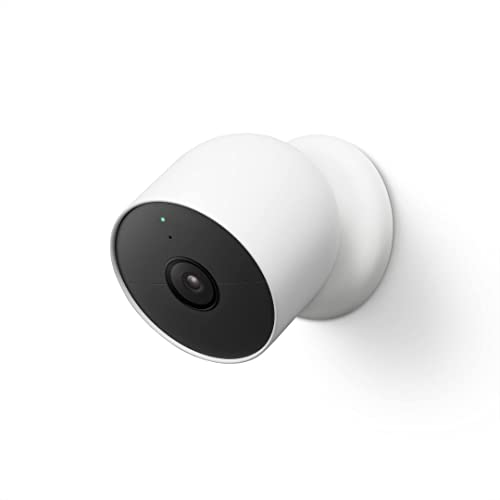
Shop Security Cameras
Compare prices on current-model security cameras across the major brands:




Complete Testing Checklist
Use this interactive checklist during your inspection to ensure thorough evaluation.
Red Flags - When to Walk Away
Some issues make a used security camera not worth purchasing. Watch for these warning signs.
Account Lock
Camera still linked to previous owner's account
End of Life Product
Camera no longer receiving firmware updates
Lens Damage
Scratched, hazed, or fogged lens affecting image
Failed Night Vision
Non-functional IR LEDs or poor night image
Connection Failures
Constant disconnections or failed live view
Battery Won't Charge
Battery that won't hold charge or charges incorrectly
Missing Base Station
System cameras sold without required base
Water Damage
Evidence of moisture inside camera or lens
Final Recommendations
Used security cameras offer excellent value for home protection, but account ownership and subscription requirements add complexity beyond typical used electronics. Always prioritize account verification before any other testing.
Factor subscription costs into your total ownership calculation. A cheap camera requiring $100/year for basic features may not be the best value. Consider local storage options like Eufy if avoiding subscriptions.
Take your time testing video quality, night vision, and connectivity under realistic conditions. Your security system is only as good as its weakest camera—invest in quality testing to ensure reliable home protection.