
Why Buy a Used Tablet?
Tablets like the iPad Pro, Samsung Galaxy Tab, and others offer powerful computing in a portable form factor. However, premium tablets cost $800 to $1,500+ new. The used market provides significant savings on devices that may have years of useful life remaining.
Many tablets enter the used market lightly used. Buyers who intended to replace laptops often return to traditional computing, or upgraders sell perfectly functional previous models. Tablets receive long software support - iPads get 5-6 years of updates, making even older models viable choices.
However, tablets can hide issues like screen damage, degraded batteries, and activation locks that prevent use. This comprehensive guide ensures you can thoroughly evaluate any used tablet before purchasing.
Pro Tip: Check software update eligibility before purchasing. Apple's latest iPadOS version and Android tablet update policies determine how long the device remains secure and functional.
Screen Testing: Your Primary Interface
The screen is the tablet's primary interface and most expensive component to repair. Thorough testing is essential as even minor issues significantly impact usability.
Physical Screen Inspection
- Power off and inspect at angles for scratches
- Look for cracks, chips, or impact points on glass
- Check edges where cracks commonly start
- Verify screen sits flush with housing (no lifting)
- Inspect for screen protector edges hiding damage
Display Quality Testing
- Display solid white - check for dead pixels, yellowing, or discoloration
- Display solid black - look for backlight bleed or bright spots
- Test maximum brightness - should be uniform across screen
- Check for image retention or burn-in on OLED displays
- Verify True Tone and Night Shift function (if equipped)
Touch Response Testing
- Test touch in all corners and edges of screen
- Use a drawing app to check for dead zones
- Verify multi-touch with pinch-to-zoom
- Check palm rejection during drawing/writing
- Test Apple Pencil or stylus compatibility
ProMotion/High Refresh Rate
- iPad Pro and premium tablets have 120Hz displays
- Scrolling should be noticeably smoother than 60Hz
- Verify adaptive refresh rate functions correctly
Screen Repair Costs: iPad screen replacements cost $200-700 depending on model. Factor this into negotiations if any screen issues exist.
Battery Health Assessment
Tablet batteries degrade over time, and replacement costs $100-200+ through official channels. Checking battery health is essential for used tablet purchases.
iPad Battery Health
- Settings > Battery > Battery Health shows maximum capacity
- 85%+ capacity is good for used device
- Below 80% indicates significant degradation
- Check for "Service" recommendation
Android Tablet Battery
- Use apps like AccuBattery for health estimates
- Check Settings > Battery for usage statistics
- Note charge cycles if available
- Samsung tablets show battery health in settings
Practical Battery Test
- Charge to 100% and note time to reach full
- Use tablet for 30+ minutes and observe drain rate
- Compare observed life to manufacturer specifications
- Check for rapid drain or unexpected shutdowns
Battery Replacement: Apple charges $99-199 for iPad battery replacement. Third-party options exist but may void any remaining warranty.
Performance Testing
Performance degradation can occur from thermal damage, software issues, or battery-related throttling. Testing ensures the tablet performs as expected for its age.
Benchmark Testing
- Run Geekbench 6 and compare to published scores
- Scores should match typical results for the model
- Significantly lower scores indicate issues
- Run 3DMark for GPU performance verification
Real-World Performance
- Open multiple apps and test multitasking
- Launch demanding apps or games
- Test video playback at highest supported resolution
- Check for lag, stuttering, or freezing
Storage Testing
- Verify storage capacity matches listing
- Check available space after OS installation
- Test file transfer speeds if possible
- Ensure no storage-related errors occur
Physical Condition Assessment
Physical damage can indicate internal issues or affect resale value. Inspect the entire device carefully.
Body Inspection
- Check aluminum body for dents, scratches, or bends
- Inspect corners for impact damage
- Look for signs of water damage indicators
- Verify buttons click properly and aren't sticky
- Check volume and power buttons for wear
Port Inspection
- Inspect charging port for debris or damage
- Test charging with included and your own cable
- Verify data transfer works via port
- Check headphone jack if present
Camera Inspection
- Check camera lenses for scratches
- Take test photos in good and low light
- Record video to test all cameras
- Verify flash functions if equipped
Accessory Evaluation
Tablet accessories like keyboards and styluses add significant value. Test all included accessories thoroughly.
Apple Pencil Testing
- Verify Pencil pairs and connects properly
- Test pressure sensitivity in drawing app
- Check tilt functionality for shading
- Verify double-tap gesture works (2nd gen)
- Test magnetic attachment and wireless charging
Keyboard Testing
- Test all keys for proper response
- Check trackpad functionality (if equipped)
- Verify magnetic attachment is secure
- Test keyboard backlight if present
- Check Smart Connector for Magic Keyboard
Cases and Covers
- Check Smart Cover magnets work correctly
- Verify auto-wake/sleep functions
- Inspect case for wear and damage
- Ensure case fits properly without gaps
Connectivity Testing
Verify all wireless and wired connections function properly.
WiFi Testing
- Connect to WiFi and verify stable connection
- Run speed test to check performance
- Test at distance from router for range
- Verify WiFi 6/6E support if advertised
Cellular Testing (If Equipped)
- Insert SIM and verify cellular connection
- Check signal strength in normal conditions
- Verify tablet isn't carrier locked (if buying unlocked)
- Test GPS functionality with maps app
Bluetooth Testing
- Pair with headphones or speaker
- Test connection stability during audio playback
- Verify AirDrop/file sharing works
- Test Bluetooth keyboard if available
Account & Activation Status
Activation locks and account issues can make a tablet completely unusable. This is the most critical check for used tablets.
iPad Activation Lock
- Device should be fully signed out of iCloud
- Settings > General > About shows "No SIM restrictions" for cellular
- No "Find My" enabled without seller's password
- Factory reset should allow setup as new device
Android FRP Lock
- Factory Reset Protection should be disabled
- All Google accounts must be removed before reset
- Samsung Knox may add additional restrictions
- Device should set up fresh without previous account
Verification Steps
- Perform factory reset during inspection
- Complete initial setup to verify no locks
- Sign in with your own account to confirm
- Check IMEI isn't blacklisted (cellular models)
Critical Warning: NEVER purchase a tablet that shows activation lock screens or requires previous owner's password. There is no legitimate way to bypass these locks.
Quick Testing Checklist
Use this interactive checklist during your tablet inspection:
Used Tablet Pricing Guide
Reference these price ranges when evaluating used tablet deals:
| Tablet Model | Retail Price | Fair Used Price | Notes |
|---|---|---|---|
| iPad 10th Gen (64GB) | Under $500 | Under $500 | USB-C, modern design |
| iPad Air M1 (64GB) | Under $750 | $400-500 | Excellent performance |
| iPad Air M2 (128GB) | Under $750 | $475-550 | Latest Air model |
| iPad Pro 11" M2 (128GB) | Under $750 | Under $750 | ProMotion, Face ID |
| iPad Pro 12.9" M2 (128GB) | Under $1,500 | $800-950 | Mini-LED display |
| iPad Mini 6th Gen (64GB) | Under $500 | $350-425 | Compact form factor |
| Samsung Galaxy Tab S9 (128GB) | Under $1,000 | $550-700 | S Pen included |
| Samsung Galaxy Tab S9+ (256GB) | Under $1,000 | $650-850 | 12.4" AMOLED |
| Samsung Galaxy Tab S8 (128GB) | Under $750 | $400-500 | Previous gen value |
Value Adjustments
- Add 15-25%: Apple Pencil or S Pen included, keyboard case
- Add 10-15%: Cellular model, higher storage tier
- Subtract 15-25%: Low battery health, minor screen scratches
- Subtract 30-50%: Screen damage, missing accessories, outdated OS
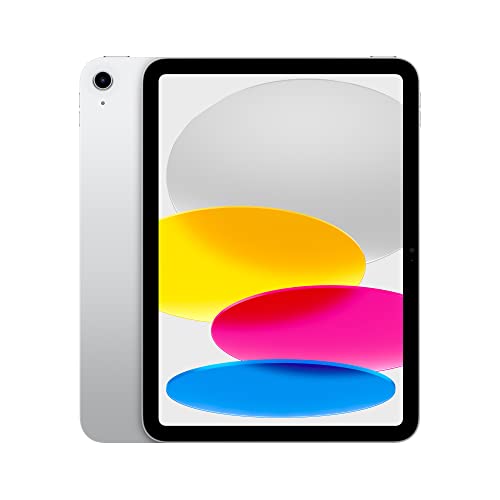
under $500 on Amazon
Red Flags: When to Walk Away
These warning signs indicate serious issues that typically aren't worth the risk:
Activation Lock Present
Any device requiring previous owner's Apple ID or Google account is unusable and may be stolen.
Screen Cracks or Lifting
Cracked screens require expensive repair. Screen lifting from frame indicates internal damage or battery swelling.
Battery Below 80% Health
Significantly degraded battery affects usability and costs $100-200 to replace through official channels.
Touch Dead Zones
Areas of screen that don't respond to touch indicate digitizer damage requiring full screen replacement.
No Longer Receiving Updates
Tablets too old for OS updates pose security risks and lose app compatibility over time.
Seller Refuses Factory Reset
Any resistance to reset and setup during inspection suggests hidden activation locks or issues.
Final Expert Tips
- ✓ Sign in with your own account during inspection to verify no activation locks.
- ✓ Check iPadOS/Android version support - ensure years of updates remain.
- ✓ Verify accessory compatibility - different iPad generations use different Pencil versions.
- ✓ Test with demanding apps - Procreate, video editing, or games reveal performance issues.
- ✓ Check cellular models for carrier restrictions if buying for mobile data use.
- ✓ Compare storage needs - tablets can't be upgraded, buy adequate capacity.
Ready to Find Your Perfect Tablet?
Use this guide to find an amazing deal on a tablet for work, creativity, or entertainment.
under $500 on Amazon