
Introduction
Smart watches have evolved from simple notification displays to sophisticated health and fitness companions that track everything from heart rate variability to sleep patterns and blood oxygen levels. The used smart watch market offers incredible value, with devices that originally cost $400 or more often available for a fraction of that price, making premium fitness tracking and smart features accessible to more buyers.
Recommended Products
Based on our research, here are some top picks:
![Apple Watch Series 9 [GPS 41mm] Midnight Aluminum](https://m.media-amazon.com/images/I/41wpn8Wh51L._SL500_.jpg)
under $250 on Amazon
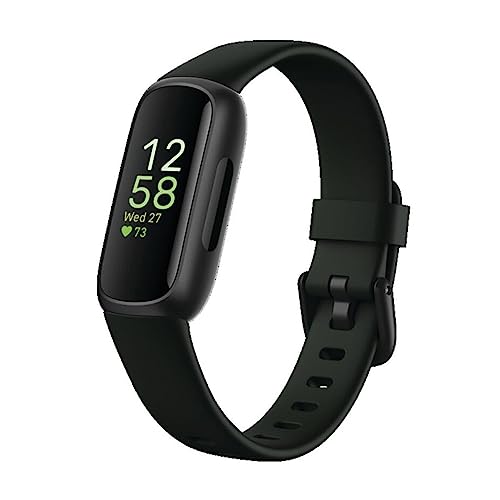
under $100 on Amazon
As an Amazon Associate, we earn from qualifying purchases.
Unlike smartphones, smart watches face unique challenges that make thorough testing essential. These devices are worn constantly, exposed to sweat, moisture, and physical impacts during workouts. Battery degradation is a significant concern, and sensor accuracy can decline over time. A watch that looks perfect might have compromised water resistance or failing heart rate sensors.
This guide covers testing for all major smart watch brands except Apple Watch, including Garmin, Samsung Galaxy Watch, Fitbit, Amazfit, Polar, and other Wear OS devices. Each brand has specific considerations, but the fundamental testing principles remain consistent across all platforms.
Pro Tip: Many smart watches require linking to manufacturer accounts. Always ensure the previous owner has properly unlinked the device, or you may face functionality restrictions or activation locks.
Physical Inspection
Smart watches endure considerable physical stress during daily wear and exercise, making physical inspection crucial for identifying damage that could affect functionality or water resistance.
Case and Bezel Condition
Examine the watch case for scratches, dents, and signs of impact damage. Pay particular attention to the bezel area, especially on watches with rotating bezels like the Samsung Galaxy Watch Classic. Check that rotating bezels turn smoothly with proper tactile clicks. On Garmin watches with metal bezels, look for scratches that might indicate rough use. Minor cosmetic wear is acceptable, but deep gouges near the display could indicate dropped watches with potential internal damage.
Button and Crown Function
Test every physical control thoroughly. Press each button multiple times to ensure consistent response and proper click feedback. On watches with rotating crowns, verify smooth rotation with accurate on-screen response. Check for any sticky or unresponsive buttons that could indicate moisture damage or internal corrosion. Samsung's rotating bezel should feel precise without grinding or catching.
Band and Lug Inspection
Examine the band attachment points (lugs) for wear or damage. Test the quick-release mechanism if equipped, ensuring bands attach and detach properly. On proprietary band systems like Fitbit, verify the connector isn't cracked or loose. Check included bands for excessive wear, cracking in silicone, or stretched fabric that might need replacement.
Sensor Area Examination
Turn the watch over to inspect the heart rate sensor and any additional sensors on the back. Look for scratches on the sensor windows that could affect readings. Check for residue buildup around sensor areas that might indicate poor maintenance. Verify all sensor lights illuminate during testing.
Display Testing
Smart watch displays vary significantly by brand and model, from AMOLED to transflective MIP (Memory-in-Pixel) displays. Each type requires specific testing approaches.
AMOLED Display Testing
Samsung Galaxy Watch and many Wear OS devices use AMOLED displays. Display a pure black image to check for stuck pixels that appear as bright dots. Then display a white screen to identify dark dead pixels. Check for burn-in by displaying a solid gray image and looking for ghosting of watch face elements, particularly around where complications typically display.
Transflective MIP Display Testing
Garmin and some fitness-focused watches use transflective MIP displays optimized for outdoor visibility. Test visibility in both bright sunlight and indoor conditions. Verify the backlight functions properly and illuminates evenly. Check for any stuck segments that remain visible when they shouldn't be.
Touch Response
Test touch response across the entire screen surface, including edges and corners where touch sensitivity often degrades first. Verify swipe gestures register consistently in all directions. Check for dead zones where touch doesn't register. On Garmin devices with button-only interfaces, ensure the display still registers touch for compatible features.
Screen Protection
Inspect the screen for scratches, cracks, or chips. Many smart watches use Gorilla Glass or sapphire crystal, but neither is completely scratch-proof. Check display glass edges for chips that could spread into cracks. Examine any screen protectors to see what damage might be hidden beneath.
Battery Health Assessment
Battery life is crucial for smart watches, especially models marketed for multi-day wear or GPS sports tracking. Unlike phones, most smart watch batteries cannot be easily replaced, making battery health a critical purchase factor.
Expected Battery Life by Category
Understanding expected battery life helps evaluate whether a used watch has significant degradation. Wear OS and Samsung watches typically last 1-2 days, while Garmin devices range from 5 days to 3 weeks depending on the model. Fitbit devices generally offer 5-7 days. GPS usage during activities dramatically increases power consumption on all devices.
Battery Testing Protocol
Request a fully charged watch for testing. Check the battery percentage display and use the watch normally for 15-20 minutes while testing other functions. Note the battery drain during this period. Ask the seller about typical usage patterns and charging frequency. A watch that requires daily charging when originally rated for 5+ days has significant battery degradation.
Charging System Verification
Test the charging system thoroughly using the included charger if available. Verify the watch recognizes the charger and begins charging. Check for proper magnetic alignment on magnetic chargers. Monitor for charging interruptions or errors. On Garmin devices, verify both contacts on the charger connect properly. For watches with wireless charging, test charging position tolerance.
Battery Settings Analysis
Some devices provide battery health information in settings. Samsung Galaxy Watch shows battery health percentage. Garmin Connect app displays battery information over time. Check if power-saving features are constantly enabled, which might indicate the owner was compensating for poor battery life.
Sensor Accuracy Testing
Sensors are the heart of smart watch functionality. Testing sensor accuracy ensures you're getting reliable health and fitness data worth the investment.
Heart Rate Monitor Testing
The optical heart rate sensor is the most important sensor to verify. Wear the watch properly snug on your wrist and check the resting heart rate reading against manual pulse count or another device. Perform light exercise like walking or climbing stairs and verify the heart rate increases appropriately. Look for erratic readings, extremely high or low values, or failure to detect changes during activity.
SpO2 (Blood Oxygen) Sensor
Many modern smart watches include blood oxygen monitoring. Test this sensor by initiating a reading in a well-lit environment. Normal SpO2 readings should be 95-100%. Inconsistent readings or frequent measurement failures could indicate sensor degradation. Note that this sensor is more sensitive to fit and skin contact than heart rate.
GPS Accuracy
For fitness-focused watches, GPS accuracy is essential. Start a GPS activity and wait for satellite lock, noting how long acquisition takes. Walk a known distance and compare the watch's measurement. Check the GPS track for accuracy and consistency. Poor GPS performance could indicate antenna damage or firmware issues requiring reset.
Accelerometer and Gyroscope
Test motion sensors by verifying step counting accuracy during a short walk. Check that wrist gestures like raise-to-wake function properly. Verify compass calibration by comparing heading to a known direction or phone compass. Test the altimeter by noting readings at different elevations if possible.
Connectivity Testing
Smart watches rely on wireless connectivity for syncing data, receiving notifications, and streaming music. Thorough connectivity testing ensures you won't face frustrating sync issues or dropped connections.
Bluetooth Pairing and Stability
Pair the watch with your phone to test Bluetooth functionality. Verify the pairing process completes successfully and the watch appears in your phone's Bluetooth settings. Test notification forwarding by sending test messages and calls. Check music control functions and phone camera remote features if supported.
WiFi Connection Testing
Many smart watches support WiFi for faster syncing and music downloads. Connect to a WiFi network and verify the connection establishes properly. Test music streaming services if the watch supports them. Check for consistent connection without frequent disconnects.
LTE Connectivity (If Equipped)
LTE-capable smart watches require special testing. Verify carrier compatibility before purchase. Test cellular connection by temporarily disabling Bluetooth and making a call or sending a message. Check signal strength indicators and ensure the eSIM or SIM functionality works properly.
ANT+ Compatibility
Garmin and some fitness watches support ANT+ for connecting heart rate straps, cycling sensors, and power meters. If you plan to use external sensors, bring one to test pairing and data reception. This is particularly important for serious athletes who rely on chest strap heart rate monitors for training accuracy.
Software and Feature Verification
Software issues can severely limit smart watch functionality. Verify the device runs current software and all advertised features work properly.
Operating System Version
Check the current software version in settings and compare it to the latest available version. Severely outdated software might indicate a device that hasn't synced properly in a long time. Ensure the watch can update to current firmware. Some older models may have reached end of software support.
Factory Reset Verification
Request a factory reset before testing to ensure you're evaluating clean performance and the previous owner's data has been removed. After reset, verify you can set up the watch fresh without encountering account locks or activation issues.
App Store and Features
Browse the app store (Galaxy Store, Connect IQ, Fitbit App Gallery) to verify connectivity. Download a test app to confirm the process works. Check that key features like contactless payments are available in your region. Test voice assistant functionality if the watch supports Google Assistant, Bixby, or Alexa.
Companion App Sync
Install the companion app (Garmin Connect, Samsung Health, Fitbit app) and complete initial sync. Verify health data transfers properly between watch and phone. Check that historical data appears correctly. Test activity tracking by starting and completing a short activity.
Water Resistance Considerations
Water resistance is a critical but difficult-to-verify feature on used smart watches. Physical damage, seal degradation, and improper maintenance can all compromise water resistance without visible signs.
Understanding Water Resistance Ratings
Smart watch water resistance typically ranges from 5ATM (swimming and showering suitable) to 10ATM (suitable for recreational diving). Higher-end dive watches like the Garmin Descent may rate to 100 meters. Note that ratings assume static pressure and don't account for dynamic forces like diving or water jets.
Visual Inspection for Water Damage
Look for moisture under the screen, which appears as fog or water droplets between the display and glass. Check for corrosion around charging ports, buttons, or the heart rate sensor. Examine the speaker and microphone grilles for salt deposits or debris that might indicate submersion. Check if buttons feel stiff or unresponsive, which could indicate internal corrosion.
Seal and Gasket Concerns
Water resistance depends on seals and gaskets that degrade over time. Watches that have been opened for repair may have compromised seals. Heavy use, especially in chlorinated or salt water, accelerates seal degradation. Unfortunately, seal condition cannot be verified without specialized pressure testing equipment.
Important: Never test water resistance yourself by submerging a used watch. If water resistance is critical for your use case, consider purchasing new or from sellers who can provide pressure testing certification.
Brand-Specific Testing Tips
Each smart watch brand has unique features and common issues. Knowing what to check for your specific brand helps ensure thorough evaluation.
Garmin Watches
Garmin devices are known for exceptional battery life and GPS accuracy. Check for display burn-in on older devices. Verify the charging port contacts aren't corroded. Test Garmin Pay if the watch supports it. Check activity history in Garmin Connect to understand usage patterns. Fenix and Enduro series should show multi-day battery life; significantly less indicates battery wear.
Samsung Galaxy Watch
Galaxy Watch series uses Wear OS (newer models) or Tizen (older models). Check for AMOLED burn-in from always-on display use. Verify Samsung Health integration and ECG functionality in supported regions. Test the rotating bezel for smooth operation and consistent click response. Ensure Samsung Pay works if you plan to use contactless payments.
Fitbit Devices
Fitbit watches require a Fitbit account and increasingly integrate with Google services. Verify the device isn't locked to another Fitbit account. Check that Premium features work if included. Test the proprietary band connector for secure attachment. Verify notification sync works properly with your phone platform.
Wear OS Devices
Wear OS devices from various manufacturers (Fossil, Mobvoi, etc.) share common testing needs. Check for lag and stuttering during navigation. Verify Google account linking works properly. Test the Wear OS app store connectivity. Check battery life expectations as many Wear OS devices require daily charging.
Used Smart Watch Pricing Guide
Smart watch values vary dramatically based on brand, model, condition, and included accessories. Use these guidelines to evaluate fair pricing.
| Model Category | Excellent | Good | Fair |
|---|---|---|---|
| Garmin Fenix 7 Series | $350-$450 | $280-$350 | $200-$280 |
| Garmin Forerunner 955/965 | $300-$400 | $230-$300 | $170-$230 |
| Samsung Galaxy Watch 6 | $180-$250 | $140-$180 | $100-$140 |
| Samsung Galaxy Watch 5 Pro | $200-$280 | $160-$200 | $120-$160 |
| Fitbit Sense 2/Versa 4 | $120-$170 | $90-$120 | $60-$90 |
| Garmin Venu 2/3 | $200-$280 | $150-$200 | $100-$150 |
| Polar Vantage V3 | $350-$420 | $280-$350 | $200-$280 |
| Amazfit Balance/T-Rex | $100-$150 | $70-$100 | $50-$70 |
Price-Affecting Factors
- Battery health: Degraded battery drops value 15-30%
- Accessories included: Original charger, extra bands, and box add 10-20% value
- Screen condition: Scratches reduce value 10-25%
- LTE capability: Cellular models command 15-25% premium
- Warranty remaining: Manufacturer warranty adds 10-15% value
Shop Smart Watches
Compare prices on popular smart watches:
Complete Testing Checklist
Use this interactive checklist during your inspection to ensure thorough evaluation of every critical component.
Red Flags - When to Walk Away
Some issues indicate problems that make a used smart watch not worth purchasing at any price. Watch for these warning signs.
Account Lock
Device locked to previous owner's account with no way to remove
Visible Moisture
Fog or water droplets visible under display glass
Non-Functional Sensors
Heart rate or GPS sensors that fail to provide any readings
Extreme Battery Drain
Battery drains in hours instead of expected days
Cracked Display
Any cracks in the display glass compromise water resistance
Charging Problems
Watch doesn't charge or constantly loses connection to charger
Seller Refuses Testing
Won't allow Bluetooth pairing or factory reset before purchase
Signs of Prying
Evidence the case has been opened, compromising water resistance
Final Recommendations
A quality used smart watch offers exceptional value, providing premium fitness tracking and smart features at a fraction of retail prices. By carefully testing sensors, battery health, and connectivity, you can find a device that serves reliably for years to come.
Remember that battery replacement on smart watches is generally not user-serviceable and may compromise water resistance. Factor battery health heavily into your purchase decision. When in doubt about water resistance, treat any used smart watch as splash-resistant only.
Take your time during testing, trust your observations, and don't hesitate to walk away from any deal that doesn't feel right. The right smart watch is out there at the right price.